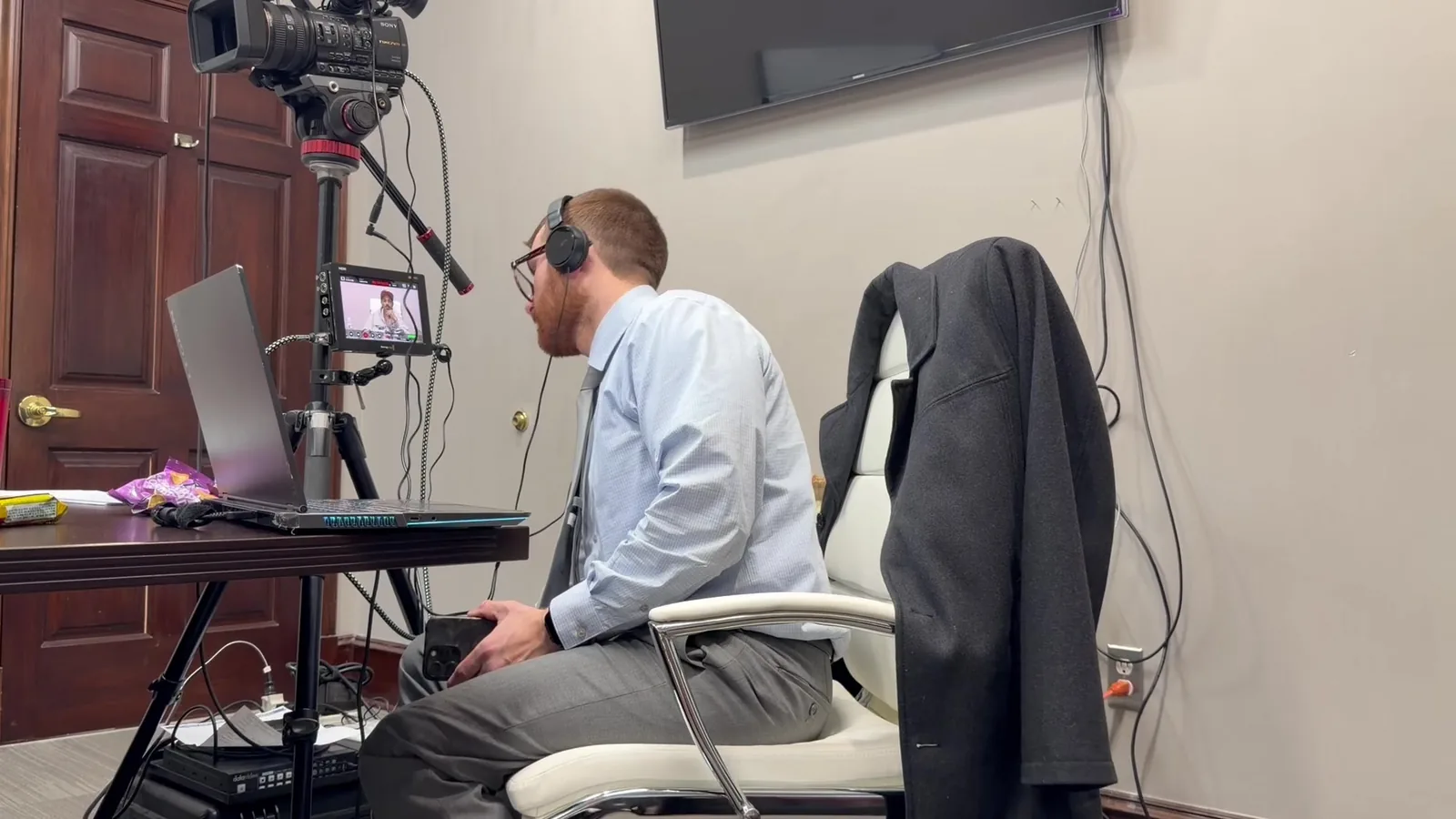
It is day six of a jury trial. The attorney is halfway through a cross-examination that has been building all morning. Without turning around, they say, "Let's pull up the March 14 email, page three." Twelve jurors look toward the screen, and the witness waits.
In that moment, the email should simply appear, already zoomed to the line that matters. Nobody in the room should notice the work behind it. That quiet, seconds-long handoff comes from weeks of electronic exhibit management for trial. It is also the part of our job we take the most pride in.
In This Article
- 600 Exhibits and a Two-Week Jury Trial
- Why Binders and Shared Folders Slow Attorneys Down in Court
- Step by Step: How We Build the Exhibit System Before Trial
- What Happens the Moment the Attorney Asks for an Exhibit
- Decision Points That Shape How We Organize Each Case
- Common Exhibit Organization Mistakes We Help Attorneys Avoid
- Organized Exhibits Let the Attorney Stay in the Moment
- Bring Us Your Exhibit List, and We Will Build the System Around It
600 Exhibits and a Two-Week Jury Trial
Imagine a commercial dispute set for a two-week jury trial in federal court in Detroit. The trial team plans to call 14 witnesses, including three experts. Between both sides, the combined exhibit list has grown past 600 digital trial exhibits. Some are one-page letters, and others are 300-page contracts.
What the Exhibit Picture Looks Like Six Weeks Before Trial
Six weeks out, the exhibits rarely live in one place. They arrive in waves, from different people, in different formats. A typical mix might include:
- Email chains and correspondence pulled from discovery productions
- Contracts, invoices, and financial spreadsheets in native format
- Photographs, site images, and scanned handwritten notes
- Expert reports with embedded charts and appendices
- Deposition video clips that will be played during testimony
Why Binders and Shared Folders Slow Attorneys Down in Court
Every search in front of a jury costs something. Jurors notice when an attorney flips through binders or scrolls past cryptic file names. The pause may last only 20 seconds, but it feels much longer in a quiet courtroom. Worse, it breaks the rhythm of an examination that took hours to prepare.
Paper and shared folders also create risks that are harder to see. A few of the most common include:
- An unadmitted exhibit accidentally shown to the jury
- The wrong version of a document displayed after last-minute edits
- A missing page that forces the attorney to move on without key proof
- A laptop screen that briefly flashes email notifications or unrelated files
Quick Answer: What Is Electronic Exhibit Management for Trial?
Electronic exhibit management for trial is the process of organizing, tracking, and displaying digital exhibits so any document can be shown on command. It combines consistent naming, status tracking, and trial presentation software.
Step by Step: How We Build the Exhibit System Before Trial
Intake and One Clean Naming Convention
The first step is gathering everything into a single, controlled workspace. We collect files from the firm, co-counsel, experts, and discovery vendors. Then every exhibit gets a name that matches its exhibit number, followed by a short description.
That consistency matters more than it sounds. It lets us find a document in several ways during trial:
- By exhibit number, such as "PX 214"
- By a short description, like "March 14 email to supplier"
- By witness, since exhibits are grouped around who will testify about them
- By Bates number, when opposing counsel references production pages
Reconciling Our List With the Court's and Opposing Counsel's
Exhibit numbers have to match everywhere. Our list must line up with the court's official list, the joint exhibit list, and opposing counsel's numbering. If defense counsel refers to "Defense 38," we need to find it just as fast as our own. When lists conflict, we flag the issue for the trial team before it becomes a courtroom problem.
Tracking What Is Admitted, Pending, or Excluded
Every exhibit carries a status that we update throughout trial. This is one of the most important safeguards in the entire system.
- Pending: identified but not yet offered or ruled on
- Admitted: cleared for the jury to see
- Admitted with limits: subject to redactions or restrictions ordered by the court
- Excluded: kept off the jury screen entirely
Preparing Callouts, Highlights, and Side-by-Sides in Advance
Strong courtroom document display depends on preparation. For key exhibits, we build callouts ahead of time with the attorney. A callout might enlarge one sentence of a contract, highlight a date in an email, or set two versions side by side. These are saved and ready, so the attorney never waits for us to zoom and crop live.
Building Redundancy Into the Mobile Office
We think of our courtroom setup as a mobile office. Everything the trial team might need travels with us, and nothing depends on a single device. Every exhibit set is mirrored across multiple drives and a backup laptop. We also keep offline copies, so weak courthouse Wi-Fi never stands between the attorney and the evidence.
What Happens the Moment the Attorney Asks for an Exhibit
The Request, the Pull, and the Display
- The cue. The attorney calls for an exhibit by number, description, or even a partial phrase.
- The pull. We locate the file while the jury screen stays blank or holds the prior exhibit.
- The check. We confirm the exhibit is admitted or approved for display to the witness only.
- The display. The exhibit goes live on the jury monitors, often with a prepared callout.
- The clear. When the attorney moves on, we clear the screen so attention returns to the witness.
When Something Unexpected Comes Up
Trials rarely follow the script. A witness may mention a document nobody planned to use. The judge may sustain an objection mid-display, or opposing counsel may introduce a new exhibit that morning.
In each case, we have a practiced response:
- For an objection, we pull the exhibit from the jury screen immediately
- For a surprise document, we search the full set by keyword or Bates number
- For a newly allowed exhibit, we add it, name it, and set its status within minutes
- For a renumbering, we update the master list and keep a record of the change
Keeping the Jury's Screen Clean and Controlled
Jurors should only see what the attorney wants them to see. That means no desktop icons, no file names, no pop-ups, and no stray windows. When the courtroom allows it, we run separate displays for the jury, the judge, and counsel table. That control keeps attention on the evidence and helps the attorney tell the story in order.
Decision Points That Shape How We Organize Each Case
No two trials get the same setup. Exhibit organization shifts based on the details of each case, and we plan around them early. The biggest factors usually include:
- Case type: A medical malpractice trial may center on records and imaging, while a commercial case leans on emails and spreadsheets.
- The judge's preferences: Some judges want exhibits shown to the bench first, and others have specific display rules.
- The courthouse: Federal courtrooms and county courts across Southeast Michigan vary widely in their built-in technology.
- Witness order: Grouping exhibits by witness speeds up both direct and cross-examination.
- Remote testimony: Remote or hybrid witnesses need secure access to the same exhibits the jury sees.
- Deposition video: Clips often need to be linked to related exhibits for impeachment or playback.
Common Exhibit Organization Mistakes We Help Attorneys Avoid
Most exhibit problems are preventable. Here are a few we see often.
- Waiting too long to start. Building a system the weekend before trial leaves no time to test it.
- Trusting one laptop. A single device is a single point of failure.
- Skipping the rehearsal. Attorneys and technicians need shared cues before the jury is seated.
- Mixing demonstratives with evidence. Demonstratives and admitted exhibits should live in separate, clearly labeled sets.
- Ignoring file names. Names like "scan_0047.pdf" slow everyone down under pressure.
Organized Exhibits Let the Attorney Stay in the Moment
Exhibit organization is easy to dismiss as clerical work. In reality, it protects something far more valuable: the attorney's focus. When every document is named, tracked, and backed up, the attorney can listen closely to the witness. They are no longer wondering where page three went.
That is the heart of how we work. Hundreds of hours of preparation stay invisible, and the story of the case stays front and center. To the jury, it simply looks like the evidence was always right there.
Bring Us Your Exhibit List, and We Will Build the System Around It
Whether your exhibit list is finished or still changing daily, we are glad to talk it through. We can explain how we would organize your exhibits, what your courthouse offers, and where redundancy matters most. Reach out anytime, and we will help you walk into trial ready.
Key Takeaway
Electronic exhibit management helps trial teams organize hundreds of documents so attorneys can retrieve and display evidence within seconds. Consistent naming, exhibit status tracking, prepared callouts, and redundant systems keep presentations moving while attorneys remain focused on witnesses and strategy.
Planning a trial or deposition in Michigan? Let us make the technology the last thing you have to worry about.
Request a Consultation