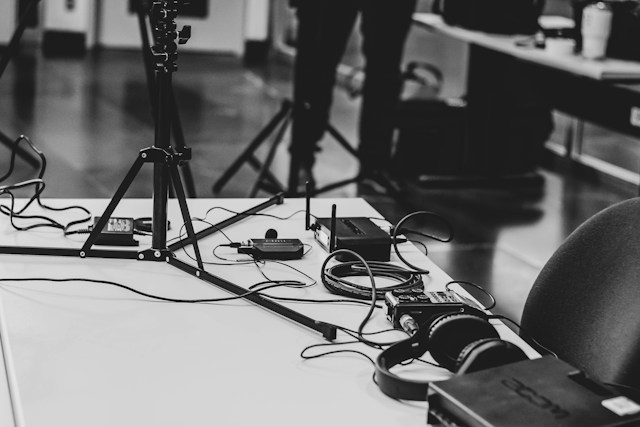
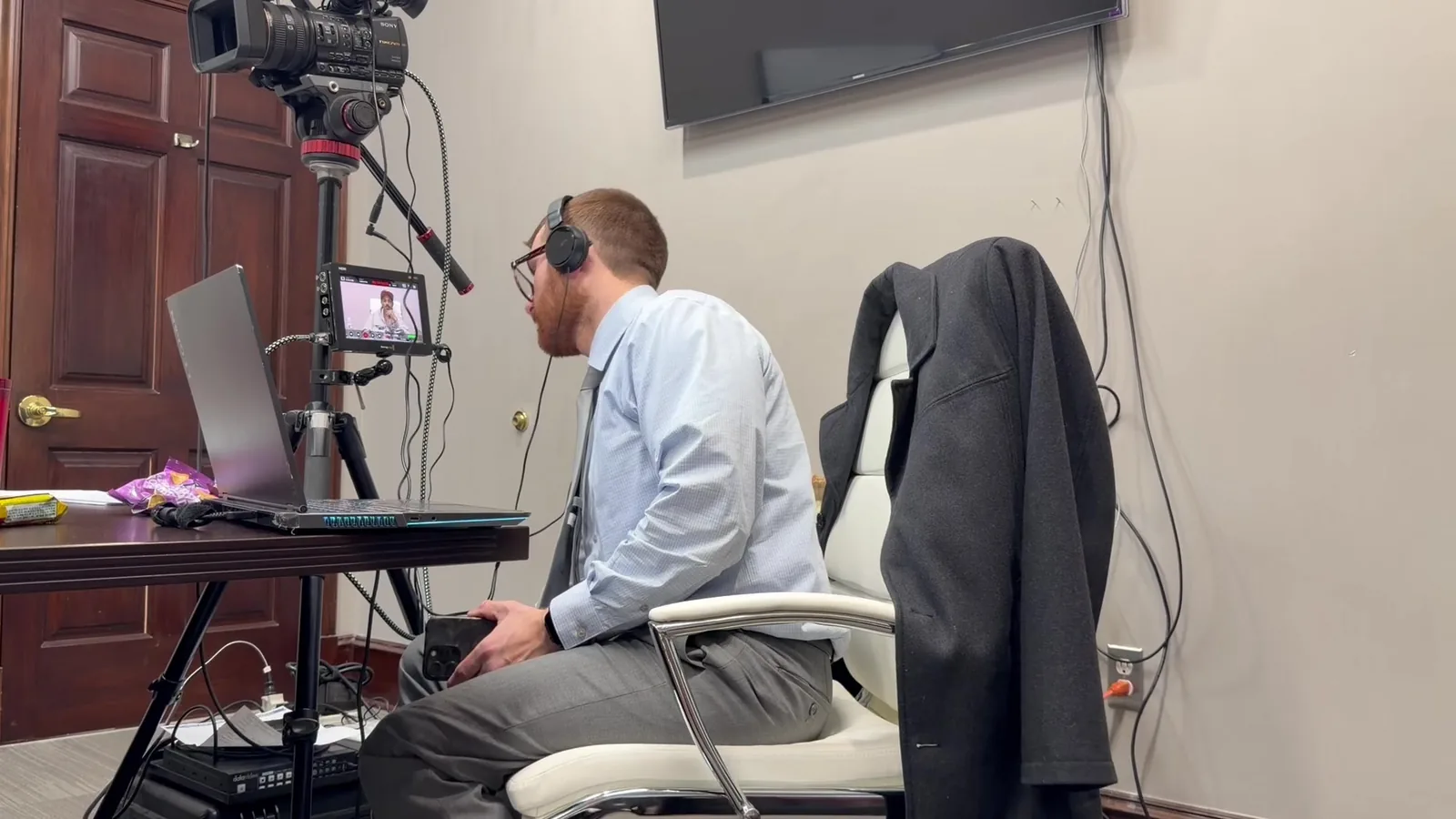
Most mornings of a trial start the same way for us. The hallway is quiet, the courtroom lights are only half on, and the clerk is still unlocking the side door. By the time the first attorney walks in with a rolling case of binders, we have usually been there for a while, running cable along the counsel table and checking screens nobody else has looked at yet.
That early hour is where the real work happens. The best trial days are the ones where our clients never find out what almost went wrong. A monitor that refused to connect, a speaker that hummed, a laptop that decided to update itself. We would rather meet those problems alone in an empty room than in front of a jury.
In This Article
- #1 The Courtroom Display Won't Recognize Our Equipment
- #2 Audio the Jury Can't Hear Clearly
- #3 A Single Point of Failure in the Middle of Testimony
- How Can Attorneys Help Prevent Trial Technology Problems?
- Quiet Mornings Make for Steady Trial Days
- Let's Look at Your Courtroom Together Before Trial Does
#1 The Courtroom Display Won't Recognize Our Equipment
What It Looks Like When It Happens
The attorney calls up Exhibit 14, and the jury monitors stay dark. Or the exhibit appears stretched, cropped at the edges, or flickering in a way that pulls every eye toward the screen instead of the evidence. Sometimes the judge's monitor shows one thing while the jury sees another.
Why Display Handshakes Fail
Screens and computers have to agree on how they will talk to each other. When that agreement breaks down, the picture fails. We commonly see a few repeat causes.
- Older courtroom switchers that were never updated for newer laptops
- A mix of HDMI, VGA, and DisplayPort connections in the same room
- HDCP handshake conflicts that block certain video signals
- Resolution limits that crop or distort widescreen content
- Judge-controlled screen cutoffs that someone forgot were switched off
How We Plan Around It
We test every screen in the room before anyone else arrives. That means the judge's bench, the witness stand, the jury box, both counsel tables, and any gallery displays. We also confirm with court staff who controls the switcher and how the judge's cutoff works.
When a room's system simply won't cooperate, we don't argue with it. We bring our own options instead. Our kit usually includes:
- Adapters for every common video connection
- Spare cables in multiple lengths
- Portable monitors that can stand in for a failed courtroom display
- A small video splitter for sending one source to several screens
#2 Audio the Jury Can't Hear Clearly
Why Deposition Audio Struggles in Large Rooms
A deposition clip can sound perfect through laptop speakers at the office. Play that same clip in a courtroom with a high ceiling and stone walls, and the words can turn muddy or faint. Jurors in the back row may catch only half of what the witness said.
The Sound Problems Nobody Expects
Volume is only one piece of the puzzle. Many attorneys are surprised to learn how many small issues can creep into a courtroom sound system.
- Ground loop hum: A low buzz caused by equipment sharing power in the wrong way
- Microphone feedback: Squealing when a mic sits too close to a speaker
- Remote witness echo: Delayed audio bouncing back through the courtroom speakers
- Volume jumps: Clips recorded at different levels playing back unevenly
- Recording system conflicts: The court's own recording setup competing with ours
Testing Sound From the Jury Box, Not the Counsel Table
The counsel table is the worst place to judge courtroom audio. It sits close to the equipment, so everything sounds fine there. We test from the jury box, the back of the gallery, and the witness stand instead.
We also play real clips from the case, not a test tone. That way we hear the actual voices, recording quality, and volume shifts the jury will hear. A few warning signs tell us a trial needs extra audio attention:
- Deposition recordings made in noisy or echoing rooms
- More than one remote witness scheduled to testify
- Older courtroom speakers or no built-in sound system at all
- Clips pulled from phone recordings, body cameras, or surveillance footage
- A courtroom assignment we haven't worked in before
#3 A Single Point of Failure in the Middle of Testimony
What Counts as a Single Point of Failure?
A single point of failure is any one thing that stops the whole presentation if it breaks. Trial teams rarely plan for these because everything usually works. Usually is not a standard we are comfortable with during a jury trial.
- One laptop holding every exhibit and clip
- One copy of the case files
- One power outlet feeding all the equipment
- One internet connection for remote testimony
- One person who knows where everything is stored
What Courtroom Equipment Backup Actually Looks Like
This is where our Mobile Office approach comes in. We treat every trial like we are running a small office out of the courtroom, with duplicates of everything that matters. Redundancy is a habit for us, not an add-on we save for bigger cases.
In practice, our courtroom equipment backup starts with a second laptop mirrored with the same files and cues. Case files live on separate drives, so one corrupted file never ends the day. We also bring surge protection, battery backup power, and a cellular hotspot in case the courthouse network drops.
How Fast Should a Recovery Be?
The goal is a switchover measured in seconds. If a laptop freezes during a video deposition, the jury should see a brief pause, not a scramble. The attorney should barely have to break stride.
That speed only comes from preparation. The backup has to be loaded, cued, and connected before it is ever needed. A backup sitting in a bag is not really a backup.
How These Problems Compare at a Glance
| Problem |
Common Causes |
What Jurors Notice |
Our Prevention Step |
| Display failure |
Older switchers, mismatched inputs, HDCP conflicts |
Dark or distorted screens |
Test every screen and carry adapters and portable monitors |
| Poor audio |
Room acoustics, hum, feedback, uneven clips |
Muffled or missing testimony |
Test from the jury box using real case clips |
| Single point of failure |
One laptop, one file copy, one power source |
Long pauses and visible scrambling |
Mirrored laptop, duplicate drives, and backup power |
How Can Attorneys Help Prevent Trial Technology Problems?
Share Exhibits and Designations Early
The earlier we have files, the more we can test. Early delivery gives us time to convert odd formats, sync deposition clips to certified transcripts, and build duplicate copies. It also leaves room to catch a corrupted file while there is still time to request a new one.
Last-minute changes will always happen at trial, and we plan for them. A strong starting set of files just makes those changes easier to absorb.
Tell Us What You Know About the Courtroom and Witnesses
Attorneys often know details that shape our planning without realizing it. A quick note can save hours on the morning of trial. Helpful details include:
- The courtroom assignment and presiding judge
- Any known preferences the judge has about technology
- Names, locations, and time zones of remote witnesses
- The current exhibit list and deposition designations
- Changes to the witness order as soon as they happen
Quiet Mornings Make for Steady Trial Days
Great trial presentation rarely draws attention to itself. When the screens light up on cue and every word of testimony reaches the back row, attorneys can stay fully present with their witness and their jury. Jurors stay focused on the evidence instead of the equipment. That is the outcome every piece of our preparation is built to protect.
Steadiness like that does not come from luck. It comes from testing in the actual room, knowing the people who run it, and carrying a second option for nearly everything. We take on that work so our clients can carry the weight of the case instead of the weight of the equipment.
Let's Look at Your Courtroom Together Before Trial Does
If you have a trial coming up, we would love to hear about it. Whether you are worried about an unfamiliar courtroom, a remote expert, or a video-heavy case, we can talk through the details and build a plan that fits. Reach out to John Schmitzer II and the Schmitzer Video & Trial Services team anytime.
- Email: jpschmitzer@gmail.com
- Phone: (248) 804-7488
- Mailing Address: P.O. Box 805983, Saint Clair Shores, MI 48080
Key Takeaway
Courtroom technology problems often involve display failures, poor audio, or a single equipment failure that can interrupt testimony and distract jurors. Testing the actual courtroom early and preparing redundant systems helps trial teams keep exhibits, video, and testimony running smoothly.
Planning a trial or deposition in Michigan? Let us make the technology the last thing you have to worry about.
Request a Consultation