Labor Day has a way of sneaking up on litigation schedules. One week the calendar looks manageable. The next, courts are running modified hours, and IT vendors are short staffed.
An out of state expert witness can suddenly become unreachable, gone early for the lake. None of this is unusual. It happens every year around this exact holiday, in courtrooms all over the country.
What makes it a problem isn't the holiday itself. It's the assumption that remote testimony setups from July will still work the same way the week before or after Labor Day. They often don't. The technology hasn't changed, but the people and support systems behind it become harder to reach.
A remote witness testimony setup that isn't confirmed early can turn into a scramble. Nobody has time for that once the holiday week actually arrives. Almost every version of this problem is preventable with a few confirmations made now, while there's still room to fix anything that comes up.
In This Article
- Why Labor Day Timing Catches Attorneys Off Guard
- What "Remote Witness Testimony Support" Actually Covers
- Five Things to Confirm Before the Holiday Hits
- Setting Up a Virtual Witness Successfully
- The Takeaway for Attorneys Planning Ahead
- Schedule Your Remote Testimony Setup Before the Holiday Rush
Why Labor Day Timing Catches Attorneys Off Guard
Court and Vendor Availability Shrinks Fast
Courts frequently adjust their schedules around Labor Day. Some run shortened hours. Others reduce staffing in the days immediately before and after the holiday.
Clerks and court IT departments that would normally respond the same day may take longer during this stretch. This isn't a Michigan specific quirk either. It happens in courthouses across the country every late summer. It tends to catch out of town counsel off guard more than local attorneys.
Vendors who provide courtroom technology support face the same staffing crunch. A last minute request for equipment or connectivity troubleshooting may take an extra day or two to fill. A request to verify courtroom AV compatibility can sit in a queue longer than usual. That delay matters when the hearing itself can't move.
Expert Witnesses Have Their Own Holiday Plans
Expert witnesses are professionals with their own summer plans. Labor Day weekend is a popular travel window. That makes scheduling harder than attorneys expect.
An expert who was easy to reach in June might be hard to pin down for a pre-testimony tech check near the holiday. Some may be traveling internationally. Others may be staying somewhere with unreliable internet without realizing it will matter.
This creates a real risk for remote expert testimony specifically. A technician may not confirm the witness's setup until the morning of the hearing. At that point, there's no room left to fix a bad connection or missing equipment. A few of the more common gaps attorneys run into:
- Experts traveling out of the country with limited connectivity
- Witnesses relying on hotel or vacation rental wifi instead of a stable home or office connection
- Delayed responses to scheduling emails sent during the holiday week itself
- Assumptions that a platform test from weeks earlier still applies to the current setup
What "Remote Witness Testimony Support" Actually Covers
Beyond Just a Zoom Link
A common misunderstanding is that remote witness testimony support means sending someone a video call link and hoping for the best. In practice, it involves a lot more coordination. Real support includes platform setup tailored to the courtroom's specific system. It also includes redundant internet connections in case the primary one fails.
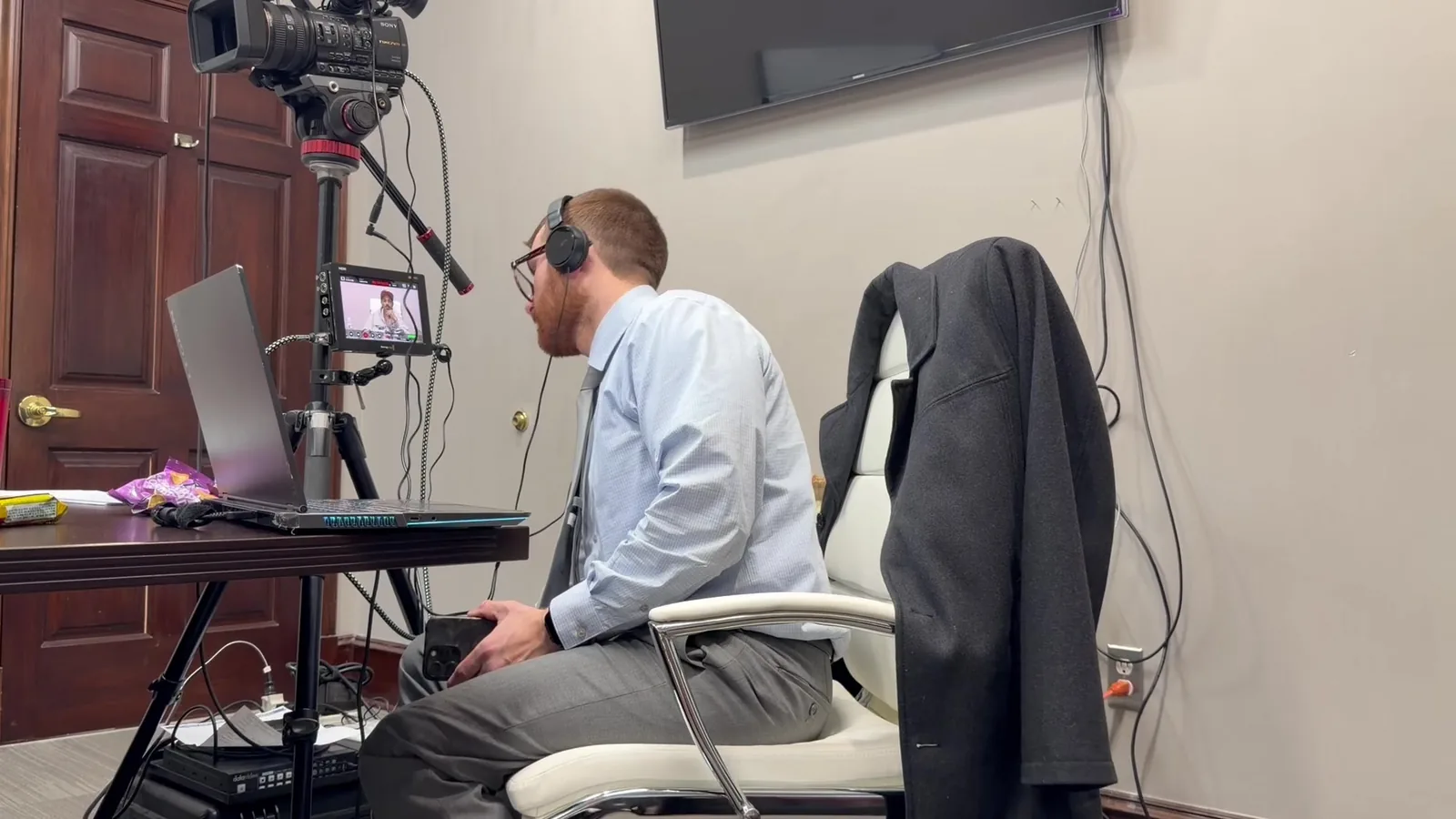
Support means having a technician present to troubleshoot issues as they happen. That person can be on site or standing by remotely. This part matters more than most people realize. A witness who freezes mid-testimony needs someone who can fix the problem in seconds, not minutes.
Support also covers the courtroom's display and audio systems. They need to receive and present the remote feed clearly. Judges, juries, and opposing counsel all need to see and hear the witness without strain. Courtroom AV compatibility isn't automatic, and what worked in one courthouse may need real adjustment in another.
Where Hybrid Courtroom Technology Fits In
Many hearings around Labor Day end up being hybrid by necessity. One expert may be remote while local witnesses appear in person. The attorney's own team may be split between the courtroom and a remote office watching from afar. Hybrid courtroom technology has to manage both experiences at once, and neither side should feel like an afterthought.
This coordination takes more planning than an all-remote hearing does. A few specific things are worth confirming well before the hearing date:
- The courtroom's existing AV setup can integrate an outside video feed without conflict
- Audio levels are balanced so remote testimony isn't harder to hear than in-person speakers
- A backup plan exists if the courtroom's own internet connection turns out to be the weak link, not the witness's
Five Things to Confirm Before the Holiday Hits
The Pre-Holiday Checklist
- Witness location and internet reliability confirmed in writing. Don't assume the witness will be at their usual office. Ask directly, and get a straight answer about their connection.
- Courtroom AV compatibility verified with the specific courthouse. Every courtroom is a little different. What worked at one location doesn't guarantee a smooth setup at another.
- Backup connectivity method identified. This might mean a cellular hotspot, a secondary internet line, or a nearby alternate location as a fallback option.
- Technician availability confirmed for the holiday window. Vendors get busy or short staffed around Labor Day. Confirm your technician is actually available, not just tentatively scheduled.
- Recording and playback method agreed upon in advance. Decide now how the testimony will be recorded. Confirm whether playback capability is needed later for impeachment purposes or trial use.
Getting these five items confirmed removes most of the risk that Labor Day timing introduces. The goal isn't to overprepare or add unnecessary steps. It's simply to replace assumptions with real answers before the holiday week limits everyone's ability to fix a problem.
Setting Up a Virtual Witness Successfully
Testing Before Test Day
A dry run matters more around holidays than it does the rest of the year. During a normal week, a bad connection or audio issue can often be fixed within a few hours. During the week around Labor Day, that same fix might take a day or more if the right person is traveling.
Testing the full setup means more than a quick call to check the connection. It means an actual run through with the platform, the courtroom display, and the audio all working together. This gives everyone a chance to catch problems while there's still time to solve them. Many attorneys skip this step when things feel routine, and that's usually the exact moment it matters most.
What a Remote Expert Testimony Setup Needs On-Site
Even when Schmitzer isn't physically present with the witness, the setup on their end still needs real attention. Lighting should be even and not backlit, since courtroom screens can wash out a poorly lit face. Audio clarity matters just as much as video quality. Jurors and judges need to hear testimony clearly without straining to catch every word.
A controlled environment also helps more than people expect. That means minimizing background noise and avoiding rooms with echo. It also means confirming the witness has a quiet space reserved for the testimony window, not a shared space where interruptions are likely. These details seem small until they become a real distraction during sworn testimony.
The Takeaway for Attorneys Planning Ahead
Labor Day rolls around every single year, and every year it catches a few litigation teams off guard the same way. The court runs a modified schedule. A vendor is short staffed. An expert witness turns up somewhere with spotty wifi days before testimony was supposed to happen.
None of it is really a surprise once you've seen it play out a time or two. The good news is that none of this requires a complicated fix. It comes down to a few confirmations made early enough that there's still time to adjust if something isn't right.
Attorneys who treat remote witness testimony support as something to lock in weeks ahead, not days ahead, tend to walk into the holiday stretch without surprises waiting for them.
Schedule Your Remote Testimony Setup Before the Holiday Rush
If you have remote witness testimony, a hybrid hearing, or an expert testifying virtually near Labor Day, now is the time to get it confirmed. Schmitzer Video & Trial Services works with attorneys across Michigan on exactly this kind of scheduling. We make sure courtroom AV compatibility, backup connectivity, and technician availability are locked in well before the holiday week arrives. That kind of preparation is what keeps a hearing running smoothly when everyone else's schedule is in flux.
Reach out today to schedule your setup and testing window before the calendar fills up for the season.
Key Takeaway
Remote witness testimony around Labor Day requires early confirmation of witness availability, internet reliability, courtroom technology, and technical support. Testing the complete setup and preparing backup connections can help prevent holiday scheduling issues from disrupting testimony.
Planning a trial or deposition in Michigan? Let us make the technology the last thing you have to worry about.
Request a Consultation