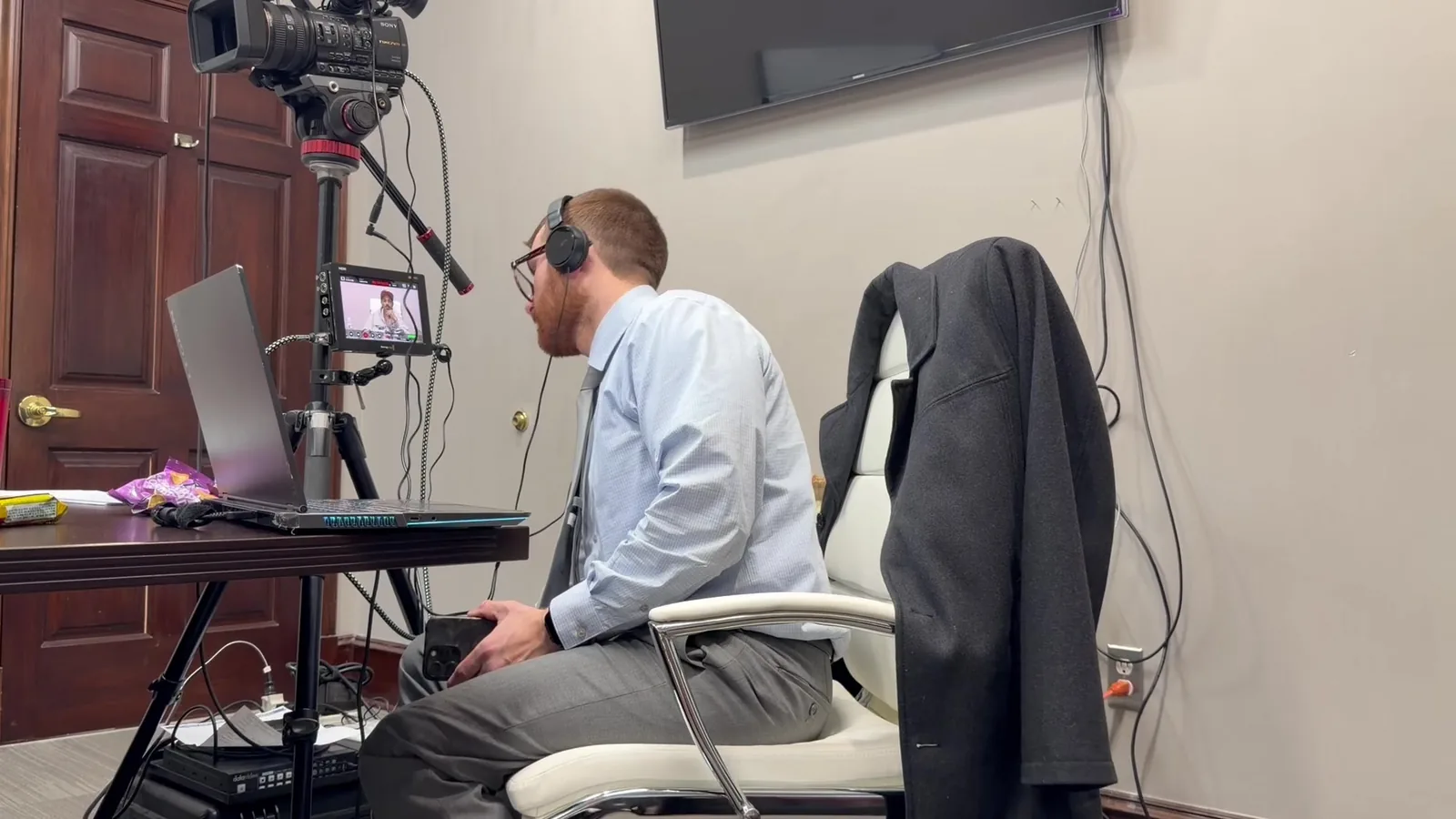
Walking into a deposition room for the first time, you learn to read a space fast. Before a single question gets asked, there's a quiet scan happening. Where's the light coming from? Is that HVAC vent going to hum through the whole recording? Does the court reporter have room to work without bumping the tripod?
After years of setting up video depositions across Michigan, certain instincts kick in automatically. Downtown Detroit high-rises, smaller offices in Grand Rapids, conference rooms in Lansing. Every space is a little different. You start noticing things attorneys and witnesses rarely think about. That's the job. Your role is making sure none of those small things become a problem once the camera starts rolling.
This is the walkthrough of what actually happens in those first few minutes. It's less about equipment specs and more about instinct. It's about habits built from doing this work long enough to know what tends to go wrong, and heading it off before it does.
In This Article
- The Room Itself Tells You a Lot
- Sound Before Anything Else
- Reading the Witness and the Room's Energy
- Equipment Redundancy Starts the Moment We Walk In
- A Mental Checklist Before Anyone Says "On the Record"
- Why These First Impressions Matter for the Final Video
- Small Details, Consistent Habits
- Ready for Your Next Deposition
The Room Itself Tells You a Lot
Lighting and Window Placement
Natural light is beautiful in person and unpredictable on camera. A window behind the witness can wash out the whole shot. It can also create harsh shadows depending on the time of day. Overhead fluorescent lighting is common in a lot of Michigan office buildings. It tends to cast a flat, slightly greenish tone that needs correcting.
- Check for glare on glasses, tabletops, or laptop screens
- Note the direction and intensity of window light
- Identify whether additional lighting equipment will be needed
None of this takes long to assess. But skipping it means fixing problems later that could have been avoided in five minutes.
Room Size and Camera Distance
Some conference rooms in older Michigan buildings are surprisingly tight. This shows up often in downtown Detroit and parts of Ann Arbor, where office space wasn't built with video recording in mind. A cramped room changes camera placement and framing. It also affects how much room there is to work around counsel and the court reporter.
Larger rooms come with their own tradeoffs. More space usually means better framing options. But it can also mean more distance for audio to travel, which affects how microphones need to be positioned.
Wall Color and Background Distractions
Busy artwork, glass walls that reflect movement, or a cluttered bookshelf behind the witness can pull focus. That's a problem in a video meant to hold up cleanly during trial. A neutral background keeps attention where it belongs. Sometimes that means repositioning the witness's chair a few feet to one side.
Sound Before Anything Else
HVAC Hum and Hallway Noise
Office buildings across Michigan often share walls, ventilation systems, or entire floors with other tenants. An HVAC system kicking on mid-testimony can end up baked into the recording. So can a hallway conversation bleeding through a thin wall, or a nearby elevator ding. Part of the setup process involves listening for these sounds before anyone sits down.
- Test whether the HVAC cycles on and off during recording
- Listen for hallway or adjoining office noise
- Note any mechanical hums from lights, printers, or vending machines nearby
Where the Court Reporter Sits
The court reporter's position matters for more than their own comfort. Placement affects whether their equipment picks up unwanted noise. It also affects whether the camera has a clean sightline to the witness. Finding the right spot usually takes a minute or two of quiet coordination before the deposition starts.
Testing Levels Before the Witness Sits Down
A quick mic check happens well before anyone says "on the record." This step gets skipped more often than people realize, especially by videographers with less experience. Testing levels early means adjustments happen quietly. Nobody wants to fix an audio problem mid-testimony, when it's too late to do so without disrupting the record.
Reading the Witness and the Room's Energy
Nervous Habits That Affect Framing
Some witnesses fidget. Others lean out of frame without realizing it. Some keep glancing at their attorney instead of looking toward the camera.
These habits aren't something to fix through direction. Witnesses shouldn't be coached on camera behavior. Noticing them early helps with framing decisions that keep the witness properly positioned throughout testimony.
Attorney Positioning and Sightlines
Where the attorney sits relative to the witness affects more than courtroom etiquette. It shapes the shot itself. Attorneys sitting too close to the camera's sightline can end up partially in frame.
A few feet of adjustment usually solves this. Nobody needs to make a big deal out of it. It's a quick, quiet fix handled before anyone sits down for good.
Building Quick Rapport Before Recording Starts
A calm minute of conversation before recording begins tends to settle nerves. It works better than most people expect. This isn't about coaching testimony. It's about helping a witness feel like they're talking to a person, not performing for a machine. That small shift often shows up as a noticeably more natural, composed recording.
Equipment Redundancy Starts the Moment We Walk In
Backup Cameras, Batteries, and Recording Media
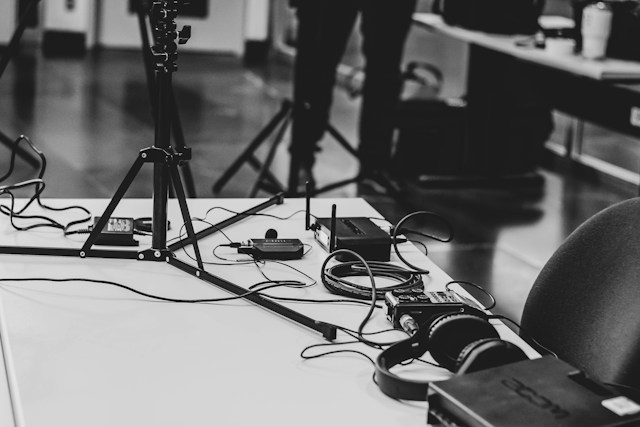
A second camera system runs quietly in the background during every deposition. Extra batteries and recording media stay on hand too. This isn't overkill. It's the difference between losing a few minutes to a hardware hiccup and losing testimony that can never be recreated the same way twice.
- Primary and backup camera systems running simultaneously
- Multiple charged batteries staged and ready
- Extra recording media in case of unexpected storage issues
Checking Power Sources and Outlets
Older office buildings across Michigan don't always have outlets where you'd expect them. Electrical layouts can be unpredictable in buildings that predate modern equipment needs. Part of the setup process includes locating reliable power sources. It also means confirming there's a plan if something trips or fails mid-session.
A Mental Checklist Before Anyone Says "On the Record"
Before the deposition officially begins, there's a quick internal run-through. Audio levels, camera framing, lighting, backup systems, room conditions. It all gets checked. It sounds simple, but this habit is exactly what prevents small issues from becoming big ones once testimony is underway.
Why These First Impressions Matter for the Final Video
How Early Observations Prevent Mid-Deposition Problems
Catching a lighting issue, a noise problem, or a framing concern in the first few minutes means it gets solved quietly and quickly. Catching the same issue twenty minutes into testimony is a different story. It means stopping the record and breaking the witness's rhythm. It can create gaps or awkward pauses that opposing counsel might question later.
The Difference Between a Usable Video and a Distracting One
A video deposition used later for impeachment, designations, or trial playback needs to hold attention on the testimony itself. Poor audio pulls focus. Distracting backgrounds pull focus. Inconsistent framing pulls focus.
All of it takes attention away from what actually matters: what the witness said and how they said it. Getting the small details right at setup is what makes the footage usable months or years down the road. It's a small investment of attention that pays off long after the recording ends.
Small Details, Consistent Habits
None of this comes from a checklist pulled off a shelf. It comes from years of walking into conference rooms across Michigan, in buildings old and new, with layouts that never quite match the last one. Every room teaches you something. Eventually those lessons turn into instinct, the kind that runs quietly in the background of every setup.
That instinct is what separates a video deposition that just gets recorded from one that actually holds up when it's needed most. Attorneys don't always think about lighting angles or HVAC timing, and they shouldn't have to. That's the job. Noticing these things quietly, before they become problems, is what real preparation looks like in practice.
Ready for Your Next Deposition
If you have an upcoming deposition anywhere in Michigan, it helps to talk through the space ahead of time. A short conversation before the scheduled date makes the whole process smoother. That's true for the attorneys, the court reporter, and especially the witness.
Schmitzer Video & Trial Services, LLC shows up early, checks every detail, and builds in redundancy from the first minute. Reach out before your next deposition to talk through logistics, equipment, or scheduling questions.
Contact Schmitzer Video & Trial Services, LLC to schedule your next video deposition.
Learn more about our approach on the Legal Videographer Michigan service page.
Key Takeaway
A professional video deposition setup requires careful early assessment of lighting, sound, room layout, framing, and equipment redundancy to prevent disruptions and ensure clear, reliable footage for future trial use.
Planning a trial or deposition in Michigan? Let us make the technology the last thing you have to worry about.
Request a Consultation