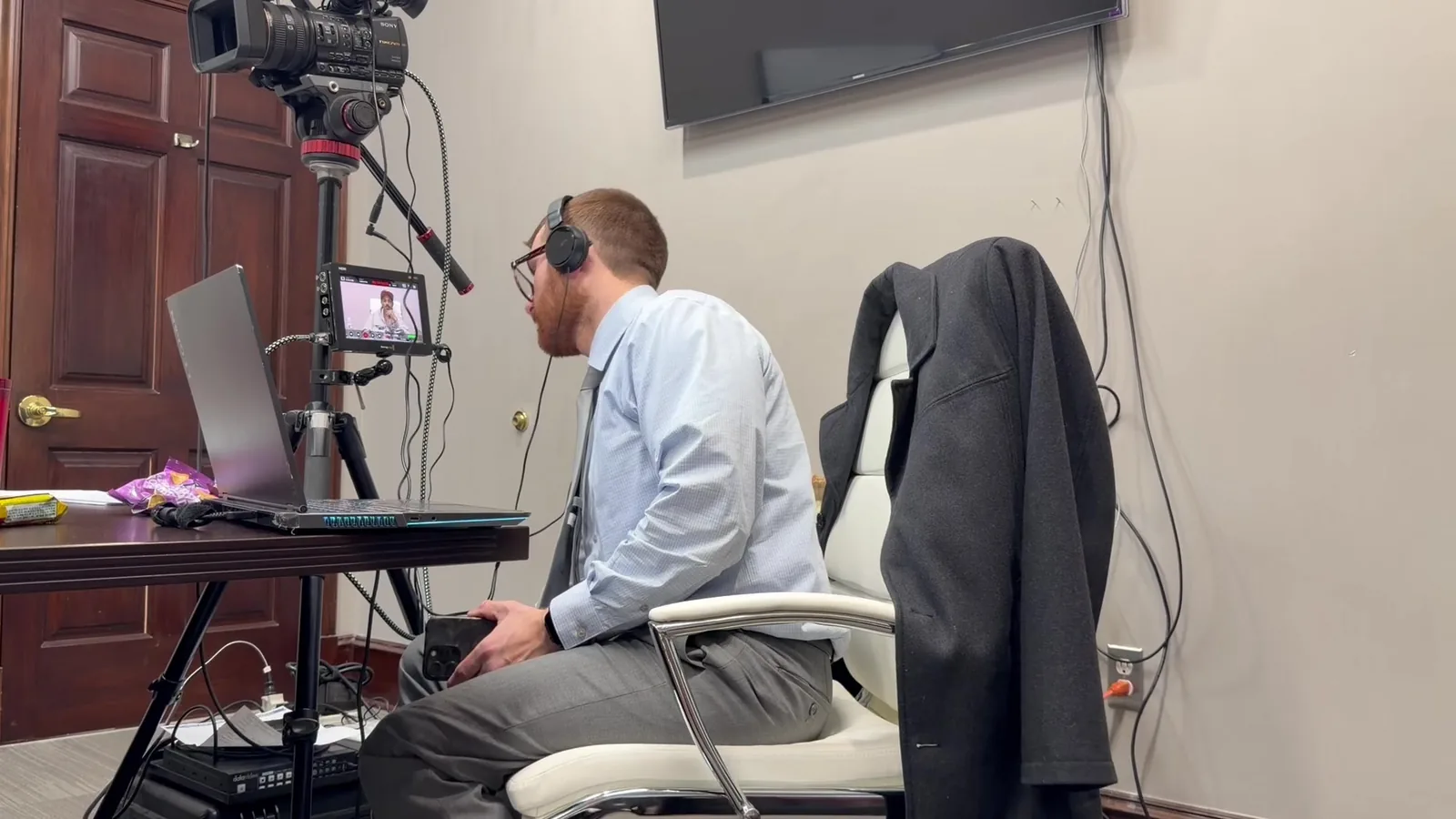
Imagine a trial where a remote expert witness has been prepped, tested, and ready to go for weeks. The Zoom call connects without issue during rehearsal. Everyone feels confident walking into the courtroom that morning.
Then, twenty minutes into live testimony, the screen freezes. Audio cuts out. The witness is still talking, but no one in the courtroom can hear a word.
This is a common scenario in modern litigation, and it is becoming more common as remote and hybrid testimony become standard practice. Courts have grown comfortable with video appearances. Attorneys have grown comfortable relying on them.
The technology usually works. But "usually" is not a word attorneys can afford to build a trial around. A single dropped connection at the wrong moment can stall a case, frustrate a judge, and leave a jury distracted for reasons that have nothing to do with the facts.
In This Article
- Setting Up the Scenario
- What's Actually Happening Behind a "Simple" Zoom Call
- The Decision Points During the Disruption
- Possible Paths Forward
- Prepared Is a Decision, Not an Accident
Setting Up the Scenario
Remote expert witness testimony has become a normal part of trial practice. Experts often live out of state. Schedules conflict. Video testimony saves time and travel costs for everyone involved, and it has made it easier to bring in specialized experts who might otherwise decline to travel.
Many attorneys assume that if a test call worked, trial day will work too. This assumption feels reasonable. A working Zoom link during a prep session looks identical to a working Zoom link during trial. Nothing about the interface signals risk.
But a test call and a live courtroom feed are not tested under the same conditions. Network load, courtroom AV integration, and real-time stakes all change once testimony actually begins. That difference is where problems tend to show up, often without warning.
Why This Assumption Persists
It is common to wonder why more attorneys don't plan for a failure that seems unlikely. Part of the answer is simple: most calls do work. When something works nine times out of ten, it starts to feel dependable rather than fragile.
The tenth time is the one that matters in a courtroom. A dropped call during a casual meeting is an inconvenience. A dropped call during sworn testimony, in front of a jury, is a different problem entirely.
What's Actually Happening Behind a "Simple" Zoom Call
A Zoom call looks simple from the outside. Someone appears on a screen and talks. Underneath that simplicity, several systems are working together at once, and each one is a potential point of failure.
Consider what actually has to function correctly for a remote testimony feed to hold up in court:
- A stable internet connection on both ends of the call
- Courtroom AV equipment that routes the video signal to monitors the jury can see
- Audio systems that carry the witness's voice clearly to the judge, jury, and court reporter
- Recording equipment capturing the testimony for the record
- Any exhibit-sharing tools running alongside the video feed
The Gap Between Consumer Tools and Courtroom Systems
This is where many attorneys are caught off guard. A consumer video platform is built for convenience, not courtroom integration. It assumes a laptop, a home office, and low stakes if something glitches.
A courtroom setup asks that same platform to feed into professional AV systems, sync with recording equipment, and hold up under scrutiny. It is common to wonder if a "good enough" home setup translates directly to trial. In most cases, it does not without additional planning.
This is also why courtroom technology support exists as its own discipline. It is not about knowing how to open Zoom. It is about knowing how Zoom, or any platform, behaves once it is wired into a live courtroom, with a judge, a jury, and a court reporter all depending on the same feed working correctly.
The Decision Points During the Disruption
When a remote feed fails mid-testimony, several things need to be assessed within seconds. There is no time for a lengthy diagnosis. A trial technician is reading the situation and making judgment calls almost immediately.
Some of the factors being weighed in that moment include:
- How much testimony was already on the record before the disruption
- Whether the jury was mid-thought or the judge was mid-ruling when the feed dropped
- Whether a backup connection or secondary device is already standing by
- How much time the disruption has already consumed
- Whether the witness is still on the line through an alternate channel, such as a phone bridge
What a Trial Technician Is Actually Evaluating
The next step is not just "get the video back." It is a quick weighing of options: attempt reconnection, pivot to a backup system, or pause proceedings altogether.
A prepared setup usually has more than one path available. An unprepared setup usually has only one path, and that path just failed. The difference between those two situations is rarely visible until the moment it matters.
The Value of Seconds
In a courtroom, a ten-second pause feels manageable. A two-minute pause starts to feel long. A ten-minute pause can shift how a jury perceives the proceedings entirely. The speed of the response often matters as much as the response itself, which is why the decision points above need to be assessed almost instantly rather than worked through step by step.
Possible Paths Forward
Attempt reconnection through the primary system. This is often the first response, especially if the outage appears to be a brief, self-correcting network issue. It works well when the disruption is short. It becomes a liability if the court is left waiting without a clear timeline, since uncertainty tends to bother a courtroom more than a brief, well-explained pause.
Switch to a redundant connection. This might mean a secondary internet source, a backup device already logged in and ready, or a phone-based audio bridge that keeps testimony moving even without video. This path depends entirely on whether that backup was set up in advance. A backup device that still needs to be configured in the moment offers little advantage over starting from scratch.
Pause and reschedule testimony. This is the least desirable outcome. It costs time, disrupts the flow of the case, and can affect how the jury perceives the proceedings. It is usually only necessary when no backup system was in place, and it is the outcome every other option is designed to avoid.
Why the Right Path Depends on Preparation, Not Improvisation
The right path in the moment is rarely a creative solution invented on the spot. It is almost always a pre-built option that someone thought to prepare beforehand. This is not a case of quick thinking saving the day. It is a case of planning making quick thinking unnecessary.
This does not mean every disruption follows the same path. But it can help explain why some courtroom disruptions cost a few seconds while others cost twenty minutes.
What Preparation Looks Like in Practice
Preparation for this kind of moment usually happens days before trial, not the morning of. It can include:
- Testing the primary and backup connections from the actual courtroom, not just an office
- Confirming a phone bridge number is ready in case video fails entirely
- Having a second device already logged into the call as a silent backup
- Briefing the witness on what to do if their own connection drops
Prepared Is a Decision, Not an Accident
A dropped connection during remote testimony is not really a story about bad luck. It is a story about whether backup systems existed before the disruption happened. Preparation, presentation, and support in high-stakes moments are not separate ideas. They depend on each other.
Hybrid trial support means planning for the version of the day that does not go smoothly, not just the version that does. Redundant systems and backup equipment are not extra precautions. They are the actual foundation of a courtroom-ready setup.
Build Your Trial Day Backup Plan Before You Need One
Remote and hybrid testimony are only as strong as the systems supporting them. If a trial is coming up that will rely on a video connection, it is worth talking through the backup plan well before the trial date arrives.
Schmitzer Video & Trial Services can walk through what a redundant, courtroom-ready setup looks like for your specific case. Reach out to talk through your options and understand what a fully prepared trial day should include.
Key Takeaway
Remote courtroom testimony needs backup plans, redundant systems, and thorough preparation to prevent technology failures during trial.
Planning a trial or deposition in Michigan? Let us make the technology the last thing you have to worry about.
Request a Consultation