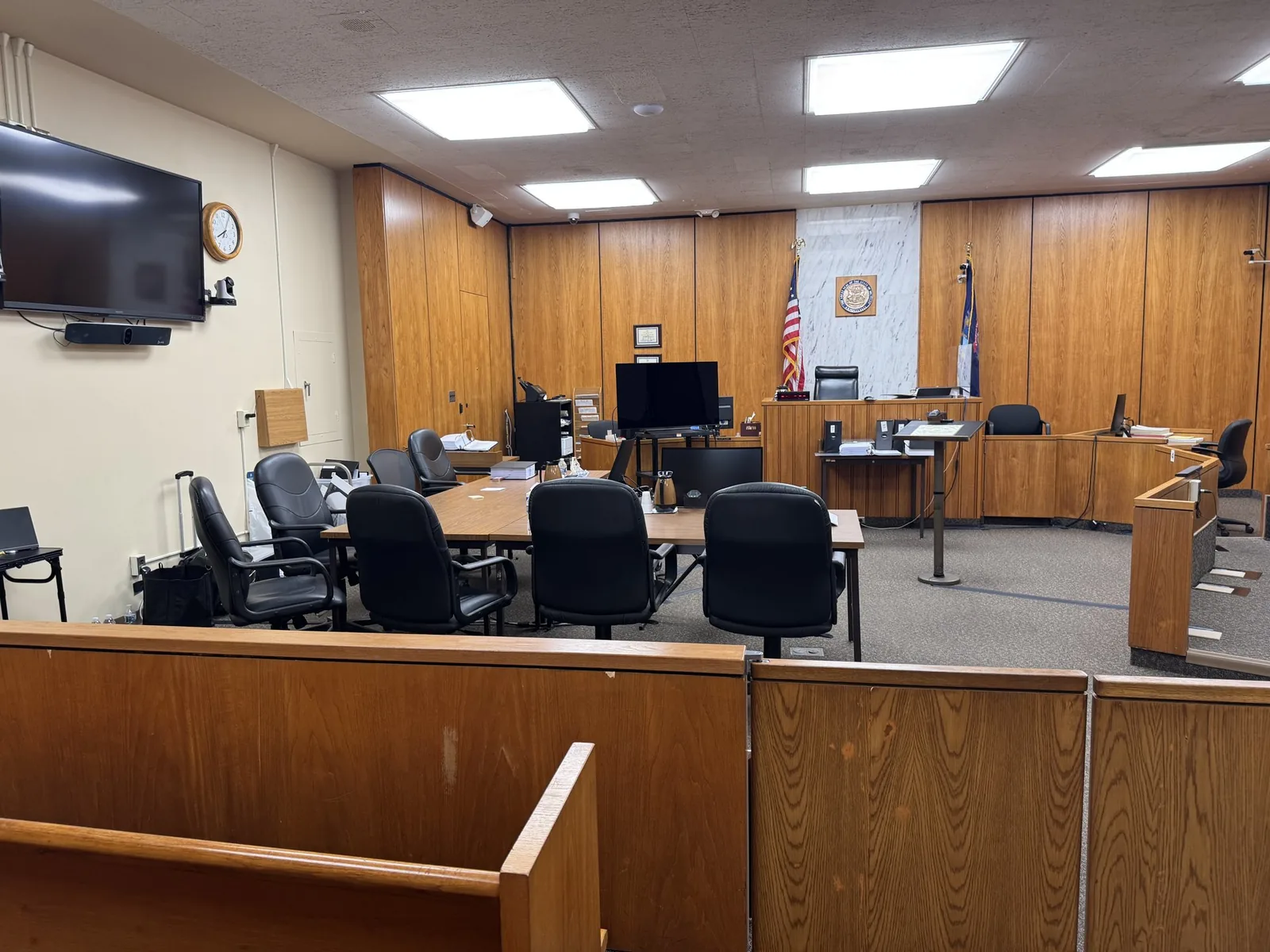
An attorney stands, clicks to the first exhibit, and waits. The jury monitors stay dark. Someone checks a cable, someone else reboots a laptop, and twelve jurors watch the clock instead of the evidence. Every trial lawyer has seen a version of that moment, and nobody wants to live through it twice.
John Schmitzer II has spent more than 13 years making sure that moment never happens. At Schmitzer Video & Trial Services, courtroom AV setup is part of the case itself, not an afterthought. Screens, speakers, and signal paths get tested long before opening statements, often more than once.
In This Article
- What Courtroom AV Covers
- Following the Signal from Counsel Table to the Jury Box
- Installed Systems, Portable Systems, and Everything in Between
- Getting Approval Before Anything Gets Plugged In
- The Setup Timeline: From Weeks Out to the First Witness
- Redundancy and the Mobile Office Mindset
- Common Courtroom AV Problems and How Preparation Prevents Them
- Questions Attorneys Ask About Courtroom AV Support
- When the Technology Disappears, the Case Takes Center Stage
- Let's Walk the Courtroom Together Before Trial Day
What Courtroom AV Covers
Display Systems for Every Audience in the Room
Different people in the courtroom need to see the same evidence from very different angles.
- Jury monitors, shared or individual, positioned for clear sightlines
- A bench monitor so the judge can follow along
- A witness screen for identifying and marking exhibits
- Counsel table displays for both sides
- Projectors or large screens for the gallery when needed
Audio That Reaches the Back Row
Sound problems are harder to hide than visual ones. A deposition clip that jurors cannot hear is a clip they cannot weigh. Courtroom audio often includes lectern and witness microphones, playback speakers, and assistive listening devices for jurors with hearing needs.
Source Devices and Presentation Software
The source is where every image begins. That usually means a presentation laptop running trial software such as TrialDirector or OnCue. Document cameras also play a role for physical exhibits that were never scanned.
Switchers, Cables, and Adapters
A switcher decides which source reaches the screens. Cables and adapters carry the signal the rest of the way. The connection types in play often include:
- HDMI and DisplayPort
- USB-C and older VGA inputs
- Signal extenders for long runs across the room
- Audio breakout cables for playback
Recording and Remote Connection Equipment
Some trials also need cameras, conferencing hardware, and a stable internet connection. These pieces support remote experts and hybrid testimony.
Following the Signal from Counsel Table to the Jury Box
Where the Presentation Begins
Everything starts on the presentation laptop. Files need clear names, consistent formats, and an order that matches the trial plan. A disorganized source device slows down every exhibit call that follows.
The Switcher and the Control Handoff
Plaintiff and defense often share the same screens. A switcher lets control move from one side to the other with a single button. That avoids the awkward scene of attorneys unplugging and replugging cables while the jury watches.
Sending the Image to Every Screen at Once
Once a source is selected, the signal is distributed to every display. Resolution settings must match, or some monitors will crop or stretch the evidence.
Routing Audio During Video Playback
In many courtrooms, video clips carry audio that has to travel on its own path. That sound must reach the speakers at a volume jurors can hear without distortion. Levels are set during testing, not during testimony.
The Weak Points Where Signals Usually Fail
Most failures happen at a handful of predictable spots:
- Long chains of stacked adapters
- Cable runs that exceed their rated length
- Loose connections under counsel tables where feet and chairs bump them
- Laptop display settings that change after a restart
Installed Systems, Portable Systems, and Everything in Between
Working With a Courtroom's Built-In Technology
Installed systems can be excellent, but they come with quirks. One input may be dead. The switcher may only accept certain resolutions. Testing the room in advance reveals these details before they become problems.
Bringing a Full Setup Into a Low-Tech Courtroom
When a room offers little, Schmitzer brings the system in. That can include:
- Portable jury monitors on stands
- A projector and screen
- Powered speakers and a small mixer
- A dedicated switcher and cable kit
Hybrid Setups That Blend Both
The courtroom's jury monitors may work well while the audio needs support. Portable gear fills the gaps without replacing what already functions.
Getting Approval Before Anything Gets Plugged In
Courtrooms belong to the court, so bringing in equipment requires permission. That process often involves several people:
- The judge's chambers or judicial staff
- The court administrator
- The courtroom clerk
- Court IT or facilities personnel
The Setup Timeline: From Weeks Out to the First Witness
Two to Three Weeks Before Trial
This is the time for a site visit and a walkthrough of the courtroom. The goal is to learn what the room offers and what it lacks. Tasks at this stage include:
- Photographing the room layout and outlet locations
- Testing installed inputs and displays
- Measuring cable distances
- Noting window light and glare
The Week Before Trial
Files get loaded and tested on the actual presentation equipment. Synced deposition clips are played start to finish. Any format that will not open cleanly is converted now, while there is still time.
The Night Before or Early Morning
Equipment arrives, cables get run and taped down, and monitors are positioned. Then comes the step people skip: sitting in the jury box. Checking the view from a juror's chair catches glare and blocked angles.
The Final Thirty Minutes
The last half hour before court is for confirmation, not construction. Displays, audio, and playback are checked one final time. The 30-minute pre-court setup post covers that window step by step.
Overnight and Between Trial Days
Some courts allow equipment to stay in place overnight. Others require a full teardown every evening. Either way, the system is reset and retested before each new day begins.
Redundancy and the Mobile Office Mindset
A Mirrored Backup Laptop
A second laptop carries identical files in the identical order. If the primary machine freezes, the backup can take over in moments. The jury sees a brief pause instead of a long delay.
Spare Cables, Adapters, and Power
One missing piece of hardware should never stall a trial. The kit usually includes:
- Duplicate cables for every connection type
- Extra adapters for older courtroom inputs
- Power strips and extension cords
- Backup batteries for wireless devices
Offline Copies of Every File
Courtroom Wi-Fi is unpredictable, and some buildings restrict it entirely. Every exhibit and clip lives locally on the presentation machines.
A Plan B for Internet-Dependent Testimony
Remote witnesses rely on connections nobody in the courtroom fully controls. A backup plan might include a secondary internet source or a pre-arranged phone fallback. Agreeing on that plan in advance keeps a dropped call from derailing the day.
Common Courtroom AV Problems and How Preparation Prevents Them
Screens That Crop, Stretch, or Go Black
These issues usually come from mismatched resolutions or aspect ratios. Testing every display with actual trial files catches them early. Locking laptop display settings keeps them from coming back.
Audio That Squeals or Disappears
Feedback happens when microphones sit too close to speakers. Silence usually means a muted channel or the wrong output selected. Labeling each channel and confirming outputs before trial solves both.
Files That Refuse to Open
A video that played fine in the office may not play on courtroom equipment. Converting files to reliable formats ahead of time removes that risk. Every file is opened on the trial machine before it matters.
Glare and Blocked Sightlines
Windows, overhead lights, and poorly placed monitors can wash out evidence. Viewing the screens from the jury box and the bench exposes these problems.
Surprise Updates, Sleep Modes, and Dying Batteries
Laptops love to restart for updates at the worst possible time. A few simple settings changes keep that from happening. Prevention steps include:
- Pausing automatic updates before trial
- Disabling sleep and screen savers
- Keeping every device plugged in during court
- Turning off pop-up notifications
Questions Attorneys Ask About Courtroom AV Support
Can You Work With the Equipment Already in the Courtroom?
Yes. Built-in systems are used whenever they perform reliably. Portable gear is added only where the room needs support.
How Early Do You Need Access to the Courtroom?
Ideally, a walkthrough happens two to three weeks before trial. Final setup usually happens the evening before or early on the first morning. Shorter timelines are possible, and they get the same level of care.
What Happens If Something Fails During Testimony?
Backup equipment and mirrored files are already in the room. Most issues are resolved in moments, often before the jury notices anything happened.
Do You Handle Setup Outside Southeast Michigan?
Yes. Schmitzer supports cases across Michigan and in other states, including multi-state and federal matters.
Can You Support Both In-Person and Remote Witnesses in the Same Trial?
Yes. Hybrid trials are common now. Remote testimony equipment is built into the same courtroom system, so transitions between witnesses stay smooth.
When the Technology Disappears, the Case Takes Center Stage
Trial lawyers carry enough weight in a courtroom. They are managing witnesses, reading jurors, and adjusting strategy by the minute. Worrying about a frozen monitor or a silent clip should never be part of that load.
The best AV support feels almost invisible. Evidence appears when it is called, sound fills the room, and backups sit ready without drawing attention. That kind of calm comes from preparation done days and weeks ahead. It lets the attorney walk into court thinking only about the argument.
Let's Walk the Courtroom Together Before Trial Day
If a trial date is on the calendar, now is a great time to plan the technology behind it. John is happy to answer questions, schedule a site visit, or help map out what your case needs.
- Email: jpschmitzer@gmail.com
- Phone: (248) 804-7488
- Address: P.O. Box 805983, Saint Clair Shores, MI 48080
Key Takeaway
Comprehensive courtroom AV setup and technical support ensures that all displays, sound routing, and source devices function flawlessly across diverse courtrooms, preventing technical failures, awkward transitions, and jury distraction. By conducting advance site walkthroughs, locking display settings, and enforcing full equipment redundancy—such as mirrored laptops, spare adapters, and offline file backups—dedicated AV support makes technology invisible so evidence is presented seamlessly and attorneys can remain entirely focused on their arguments.
Planning a trial or deposition in Michigan? Let us make the technology the last thing you have to worry about.
Request a Consultation