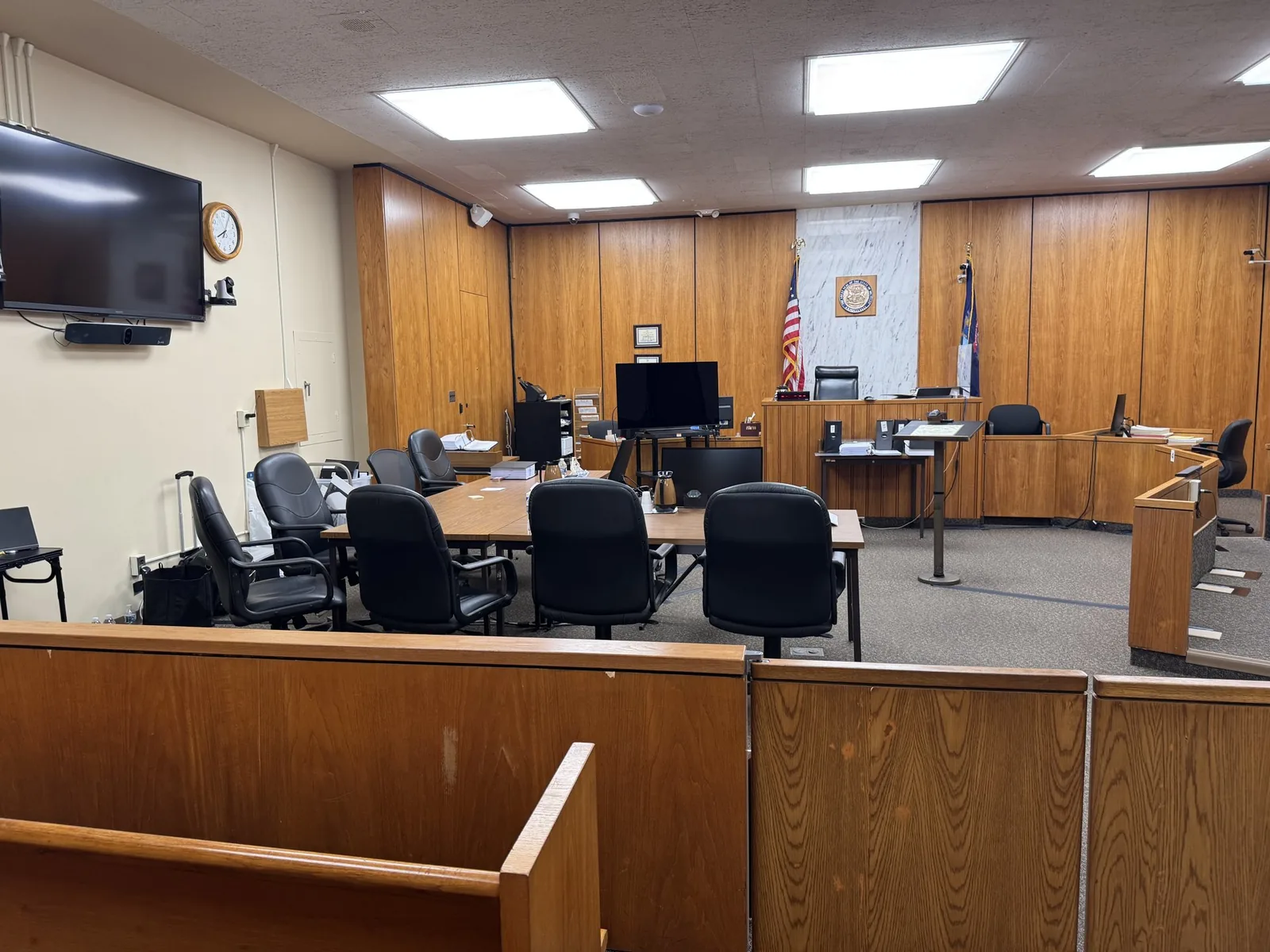

Remote Witness Testimony Support
A witness who cannot be in the room does not have to be a weak link in your case. Attorneys have learned to expect the unexpected. A doctor testifies from another state. An expert gets stuck on a delayed flight.
A witness who cannot be in the room does not have to be a weak link in your case. Attorneys have learned to expect the unexpected. A doctor testifies from another state. An expert gets stuck on a delayed flight.
A witness who cannot be in the room does not have to be a weak link in your case. Attorneys have learned to expect the unexpected. A doctor testifies from another state. An expert gets stuck on a delayed flight.
A key witness is recovering from surgery and cannot travel. When that happens, the difference between a smooth hearing and a chaotic one usually comes down to who is running the technology.
Remote witness testimony has become a permanent fixture in modern litigation, not a temporary workaround. Courts have grown comfortable with it. Judges expect it to work without drama.
Juries need to trust what they are seeing just as much as if the witness were sitting a few feet away. That trust is earned through preparation, redundancy, and a team that knows where things tend to go wrong before they do.
Remote witness testimony is more than opening a video call and hoping for the best. It involves coordinating audio, video, exhibit sharing, and courtroom display systems. Together, these pieces make a witness appearing from anywhere feel present in the room. Each has to work independently and also work together under real time pressure.
Attorneys sometimes only know a rough version of this, a shaky video call on a laptop. They assume that is simply what remote testimony looks like. It is not. A properly built setup feels closer to the witness sitting in the courtroom than most people expect.
An expert witness based in another state rarely wants to fly in for a single hour of testimony. Remote appearances save time and travel costs. They also remove the scheduling headaches of coordinating a witness around a courtroom calendar. This matters even more when a case involves multiple experts across different regions.
Some considerations attorneys should weigh:
Some witnesses cannot travel due to illness, injury, or recovery from a medical procedure. Others may have safety concerns that make an in person appearance impractical. Remote testimony gives these witnesses a path to participate without compromising the case.
A witness recovering from surgery may be fully capable of testifying clearly from home. That same witness might still be unable to sit through a full day of travel. Remote support closes that gap.
A witness who suddenly cannot travel days before a hearing puts attorneys in a difficult spot. A well prepared remote setup can often be arranged quickly enough to keep the hearing on schedule. This is a common call for a trial technician to get. It rewards teams who already have equipment ready to deploy.
A laptop webcam and home internet connection were never built for courtroom conditions. Bandwidth drops, echo, and frozen video are common when the setup was never designed for this kind of pressure. Consumer platforms work fine for casual meetings, but a courtroom demands more.
When a single connection is the only connection, there is nothing to fall back on if it fails. A dropped call mid testimony can stall proceedings and frustrate everyone in the room. This is one of the most preventable failures in remote testimony, and also one of the most common.
Common points of failure without a backup in place:
Audio failures cause more testimony problems than video ever does, even though video gets more attention. If the court reporter cannot hear clearly, the record itself is at risk. A garbled or inaudible answer can create confusion long after the hearing ends.
Every courtroom has its own equipment, wiring, and quirks. A remote setup that has not been tested against that courtroom's system is guessing, not preparing. What works perfectly in one courtroom can fail entirely in another just down the hall.
Two independent internet connections, backup audio lines, and secondary recording equipment matter. Together, they mean one failure does not become a courtroom incident. Redundancy is not overkill. It is the difference between a brief pause and a stalled hearing.
Testing the connection with the witness ahead of time catches problems while there is still time to fix them. This includes checking their camera, microphone, lighting, and internet stability well before the hearing begins. A short test call days in advance often reveals issues a witness would never think to mention.
Someone needs to be physically present in the courtroom managing the connection. That person troubleshoots in real time. They make sure the judge and jury can see and hear the witness clearly throughout testimony. This person becomes the quiet safeguard for the entire appearance.
The remote feed should integrate cleanly with whatever monitors, projectors, or screens the courtroom already uses. There should be no last minute adapters or improvised fixes. Knowing a courtroom's equipment ahead of time removes a whole category of avoidable problems.
Elements that separate a professional setup from an improvised one:
Many witnesses worry that testifying remotely will make them seem less credible. Walking them through the process ahead of time helps. Showing them exactly how it will look tends to ease that concern considerably. A calm, prepared witness generally comes across just as credible as one testifying in person.
Federal courts often require specific justification for remote testimony. They may have their own technical standards for connection quality and recording. Some judges want detailed documentation of the technical setup before approving a remote appearance at all.
State court rules and judicial preferences vary widely. What one judge approves without hesitation, another may want documented in advance. Attorneys who confirm expectations early avoid last minute surprises about format or approval.
Factors that often differ between courts:
Remote witness testimony works when the people behind it treat it with the same seriousness as an in person appearance. That means redundant systems, tested equipment, and a technician who knows the courtroom as well as the connection. None of that happens by accident. None of it should be left to the day of the hearing.
Schmitzer Video & Trial Services brings that same mobile office approach to every remote testimony assignment. It does not matter whether the witness is across the state or across the world. Attorneys do not need to become technology experts to get this right. They just need a partner who already is, one who has already thought through what could go wrong.
Hearing dates have a way of arriving faster than expected. Remote testimony setups deserve more than a last minute check the night before. Reaching out early gives enough time to test connections and prepare the witness. It also confirms everything works with the specific courtroom involved.
Contact Schmitzer Video & Trial Services to talk through the witness, the courtroom, and what a fully prepared remote testimony plan looks like. It is worth doing well before the hearing date arrives.
Contact Schmitzer Video & Trial Services
Have a trial or deposition coming up? Tell us about your case and we will help you get courtroom ready.
Request a consultation →More than a decade of legal video, trial presentation, and courtroom technology experience across Michigan.
Meet John →Trial presentation, legal video depositions, courtroom technology, and remote testimony support.
View services →Trial presentation, legal video, courtroom technology, and remote testimony support for litigation teams across Michigan.
Home base in St. Clair Shores, with same-day reach across Southeast Michigan and travel statewide.
Tell us about your case. We'll bring the technology, the preparation, and the calm.