
Electronic Exhibit Management for Trial
The witness is on the stand, and cross is finally building momentum. You ask for the email with the highlighted line, the one your whole examination was built around. The screen stays dark.
The witness is on the stand, and cross is finally building momentum. You ask for the email with the highlighted line, the one your whole examination was built around. The screen stays dark.
The witness is on the stand, and cross is finally building momentum. You ask for the email with the highlighted line, the one your whole examination was built around. The screen stays dark. Somewhere behind you, a laptop is scrolling through a folder called "Final_v3_USE THIS ONE."
That moment has nothing to do with the strength of your evidence. The document exists, it was produced, and it may even be admitted. What failed was the system behind it, or the lack of one. Electronic exhibit management for trial is the quiet work that makes sure the right exhibit appears, in the right version, the second you need it.
A folder holds files. A managed exhibit set holds information about those files, and that information keeps a trial moving. Every exhibit should carry its own record from the pretrial exchange all the way to jury deliberations.
A complete exhibit record typically includes:
One exhibit can pass through several stages during trial:
Exhibit management tends to feel like clerical work, so it slides down the priority list. Many teams assume a shared spreadsheet or trial software covers it. Software stores exhibits, but it won't reconcile three versions of the same list or catch a missing redaction.
We commonly see exhibit lists drift out of sync during pretrial exchanges. Opposing counsel renumbers, a supplemental production adds forty documents, and a motion in limine removes six. By the final pretrial conference, nobody is fully sure which list is current.
Jurors notice dead air more than attorneys expect. A 30-second search can feel much longer in a silent courtroom. It interrupts the rhythm of an examination and gives a witness time to regroup.
The most serious exhibit error is showing jurors something they should not see. That might be an exhibit still awaiting a ruling, or an unredacted version of one admitted only in part. Once an image hits the jury monitor, it cannot be unseen.
Possible fallout includes:
The trial record depends on accurate exhibit tracking. If the clerk's list, the team's list, and what was actually displayed don't match, those gaps can complicate post-trial motions or an appeal. Reconstructing what happened weeks later is slow, stressful, and not always possible.
Every second spent worrying about the laptop is a second not spent on the witness. Examinations work best when the attorney is listening closely and adjusting in real time. Split attention makes that much harder, even for seasoned trial lawyers.
Plaintiff and defense lists may follow different conventions. Joint exhibits sometimes carry two numbers. When the witness, the attorney, and the display each reference a different number, confusion follows quickly.
Trials evolve. Witnesses get cut, rulings shift strategy, and new exhibits appear the night before testimony. Each change needs to ripple through the database, the witness outlines, and the presentation files.
Court-ordered redactions must match the displayed version exactly. Protective orders may also limit what appears on public-facing monitors. A single overlooked page can create a real problem.
Not every exhibit is a tidy PDF. Common trouble spots include:
When admission status lives in three places, it's accurate in none of them. One person has handwritten notes, another has a spreadsheet, and the software shows a third version. The fix is one authoritative record, updated the moment the court rules.
The work starts with intake. Every exhibit from both sides goes into one database, with duplicates removed and file quality checked. Illegible scans get flagged early, while there's still time to request better copies.
Clear naming prevents the "which version is this?" problem. Practical rules we rely on include:
During trial, the trial technician updates each exhibit's status as the judge rules. That record controls what can be published. If an exhibit hasn't been admitted, it doesn't reach the jury monitor.
Planned callouts are built from witness outlines before testimony begins. The attorney can spotlight a key sentence, compare two contract drafts, or zoom into a signature without delay. Unplanned requests can still be handled live, but preparation keeps them rare.
We think of our courtroom setup as a Mobile Office. Everything needed to keep trial moving comes with us, including backups for the backups:
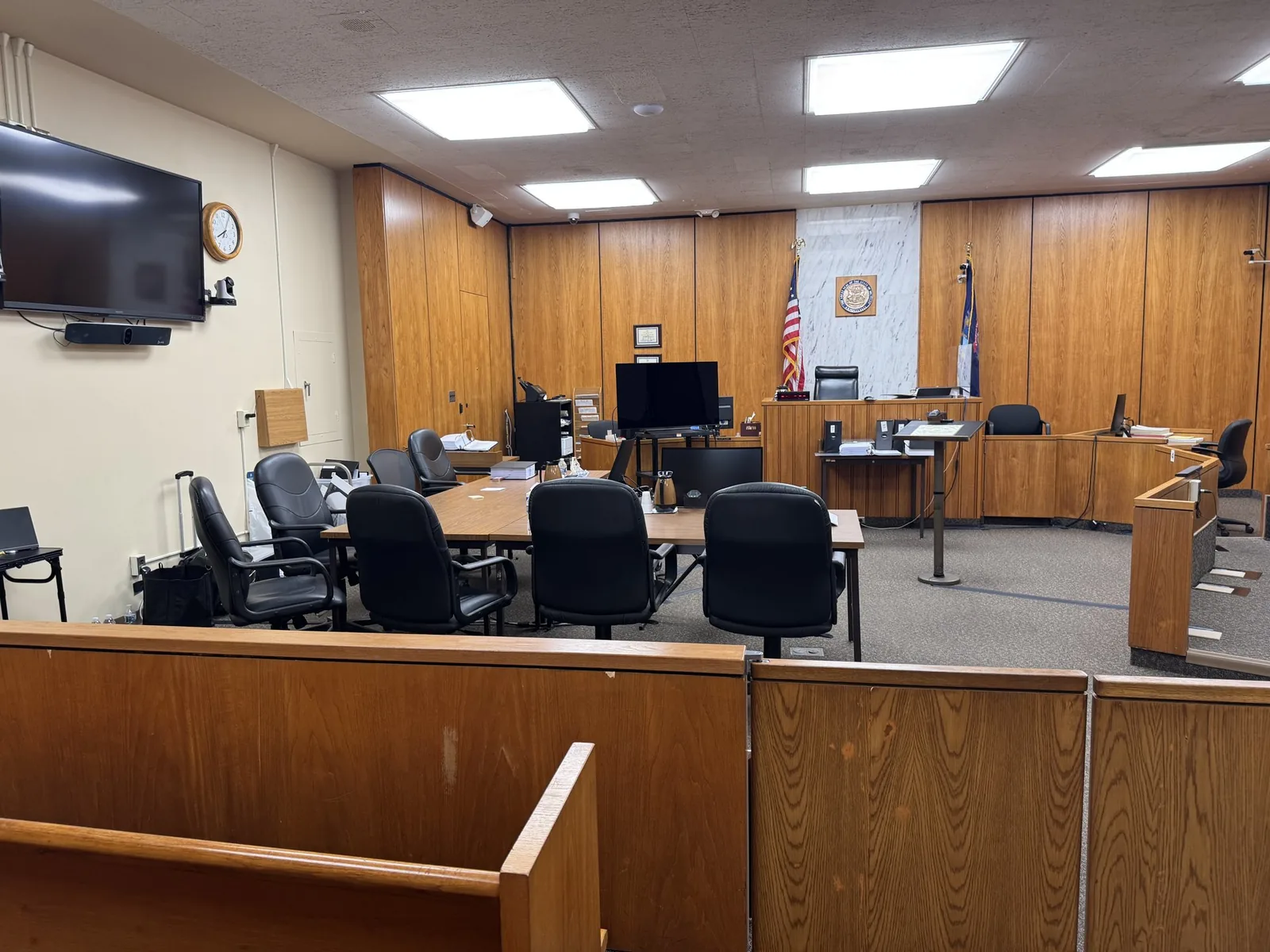
Courtrooms in Wayne, Oakland, Macomb, and Washtenaw counties vary widely in their technology. Some have integrated displays and evidence cameras. Others rely on portable equipment the trial team brings in. Knowing the room ahead of time shapes how exhibits are formatted and staged.
Judges in the Eastern District of Michigan often issue their own practice guidelines. These may address exhibit list formats, electronic submission, and courtroom technology use. Federal trials also tend to involve larger exhibit sets and multi-party coordination. That makes consistent numbering and live tracking even more valuable.
At the close of evidence, the court needs a clean set of admitted exhibits. That set should include only what was admitted, in the format the court requests. Excluded exhibits, drafts, and unredacted versions stay out entirely.
Common deliverables may include:
Pretrial work happens alongside paralegals, attorneys, and sometimes expert witnesses. We review exhibit lists, flag inconsistencies, and test every file on courtroom-compatible equipment. People are often surprised by how many issues surface during that first review.
From the attorney's side, the experience should feel simple. You ask for an exhibit, and it appears. Behind the scenes, the technician is tracking rulings, staging the next witness's exhibits, and adjusting for surprises.
The end of each day is when small errors get caught before they grow. A typical reconciliation checklist covers:
When exhibit management works, nobody in the jury box thinks about it. Jurors see a document, follow the testimony, and understand the point. The system disappears, and the evidence gets the attention it deserves.
That kind of invisibility takes planning, discipline, and a steady hand through the unpredictable days of trial. For attorneys, it means walking into court knowing every admitted exhibit, redaction, and backup is accounted for. It also means more energy left for witnesses, arguments, and the jury.
If you have a trial on the calendar, John Schmitzer would be glad to talk it through with you. Whether you're working with a few hundred exhibits or several thousand, the conversation starts with your case, your courtroom, and your team. Reach out anytime, even if trial is still months away.
Have a trial or deposition coming up? Tell us about your case and we will help you get courtroom ready.
Request a consultation →More than a decade of legal video, trial presentation, and courtroom technology experience across Michigan.
Meet John →Trial presentation, legal video depositions, courtroom technology, and remote testimony support.
View services →Trial presentation, legal video, courtroom technology, and remote testimony support for litigation teams across Michigan.
Home base in St. Clair Shores, with same-day reach across Southeast Michigan and travel statewide.
Tell us about your case. We'll bring the technology, the preparation, and the calm.