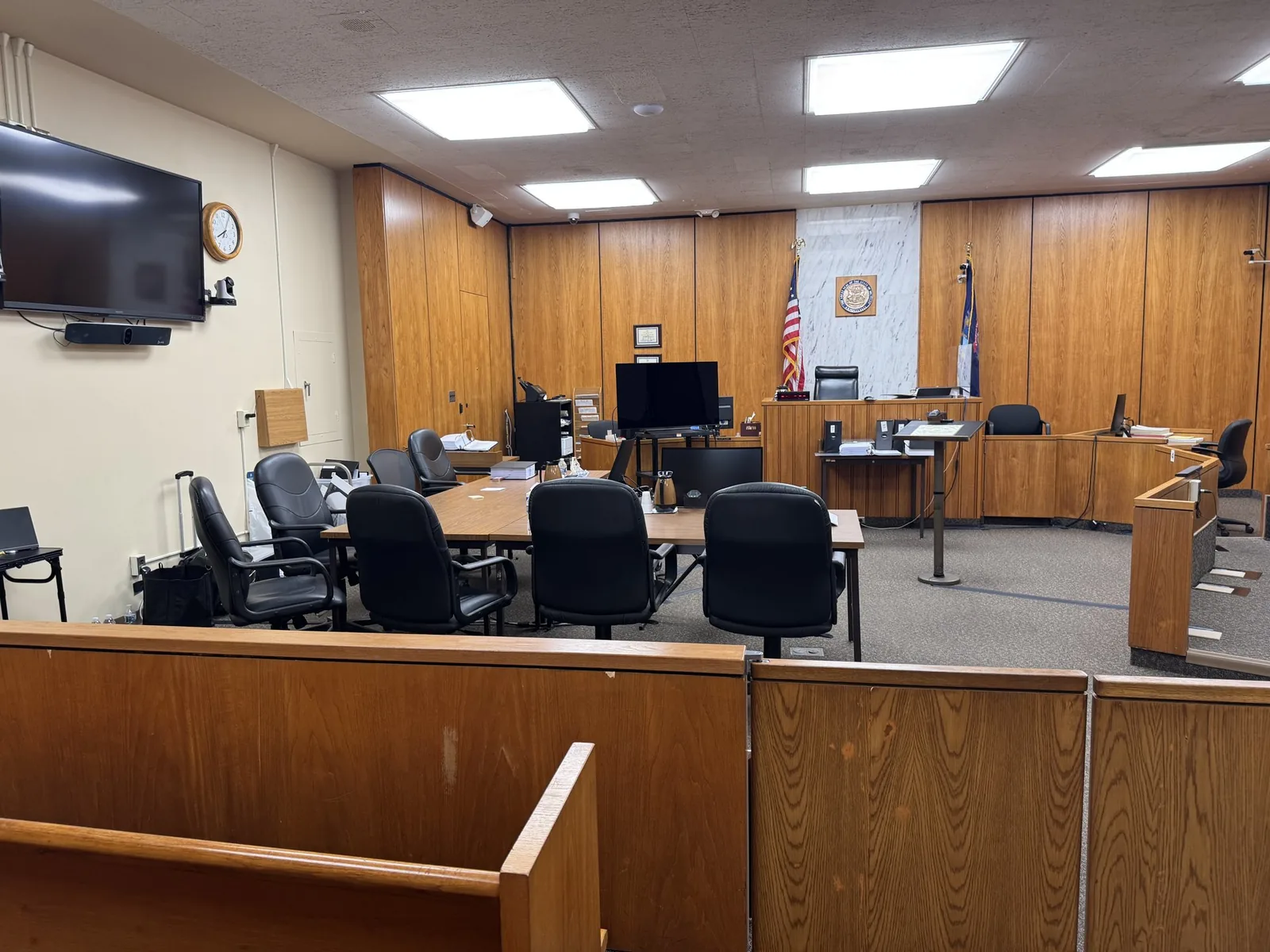
The attorney turns toward the screen and says, "Let's play the clip." Twelve jurors shift in their seats. The judge looks up from the bench. For a few seconds, the entire courtroom waits to see whether the testimony appears exactly as promised.
Those seconds carry more weight than most people realize. A smooth playback feels like proof. A frozen screen or a missing audio track can feel like doubt, even when the evidence is strong. John Schmitzer II has spent more than 13 years making sure that waiting period stays short, quiet, and uneventful for the attorneys he supports.
In This Article
- What Courtroom Video Playback Involves
- Playback Across the Arc of a Trial
- Deposition Playback: From Designations to the Courtroom Screen
- Impeachment Playback: Speed, Precision, and Composure
- The Technical Backbone Behind Reliable Playback
- Redundancy and the Mobile Office Approach
- Playback in Southeast Michigan Courtrooms
- How Schmitzer Prepares Your Playback, Step by Step
- When the Screen Works, the Story Takes Over
- Bring Your Clip List to Schmitzer Before Trial Day
What Courtroom Video Playback Involves
Much More Than Pressing Play
Courtroom video playback is the live presentation of recorded evidence during a hearing or trial. It happens in real time, on counsel's cue, often seconds after a judge rules on an objection. The person running playback tracks the testimony, the attorney's strategy, and the court's instructions all at once. In practice, the role looks less like operating a video player and more like working as part of the trial team.
Types of Video Evidence Played at Trial
Most trials involve more than one kind of recorded material. Each type carries its own preparation needs.
Everyone in the Room Is an Audience
The jury watches for meaning and credibility. The judge watches for compliance with rulings and designations. Opposing counsel watches for any clip that runs a few seconds too long. The court reporter and the record depend on accurate identification of every exhibit played.
Playback Across the Arc of a Trial
Opening Statements: Setting the Visual Tone
When the court permits it, a brief clip during opening can introduce a key witness early. These clips are usually short and cleared in advance. Preparation focuses on clean starts, clear audio, and no surprises.
Case in Chief: Presenting Witnesses Who Cannot Be There
Depositions often stand in for witnesses who are unavailable, out of state, or unable to travel. Michigan courts address this under MCR 2.308, and federal courts apply Federal Rule of Civil Procedure 32. Long designated testimony can test juror attention. Synced text, steady audio, and tight transitions help keep the room engaged.
Cross-Examination: Impeachment Video on Demand
Impeachment happens fast. A witness gives an answer that conflicts with prior sworn testimony, and counsel wants the jury to see it immediately. The clip needs to be located, cued, and played within seconds.
Closing Arguments: Replaying the Moments That Matter
Closings often call for a short reel of the testimony that best supports the case. Schmitzer helps attorneys assemble these clips from admitted evidence only. Each segment is checked against the court's rulings before it reaches the screen.
Jury Deliberations: When Jurors Ask to See It Again
Jurors sometimes ask to rewatch admitted video. Courts handle these requests differently, and some require a clean, standalone copy. Having admitted clips organized and ready prevents delays while the jury waits.
Deposition Playback: From Designations to the Courtroom Screen
Page-and-Line Designations and Counter-Designations
Deposition playback starts with paperwork. Each side identifies the testimony it wants played by page and line. Those designations then become video segments in the correct order.
- Plaintiff and defense designations merged into one sequence
- Counter-designations inserted where the court requires completeness
- Clip names tied to page and line references for fast retrieval
Objections, Rulings, and Overnight Edits
Judges often rule on deposition objections shortly before a witness is played. Sustained objections must be removed cleanly without awkward jumps. Schmitzer regularly rebuilds clips overnight or during a lunch break when rulings change the plan.
Synced Transcripts and On-Screen Text
Transcript syncing places scrolling testimony text beneath or beside the video. Jurors can follow along even when a witness speaks softly or has a strong accent. The sync is built from the certified transcript, so the words on screen match the official record.
Timing Reports and Running Totals
Some judges allocate trial time and charge each side for its designated testimony. Accurate timing reports make that accounting simple.
- Run times for each designation and counter-designation
- Totals broken out by party
- Updated reports after edits or new rulings
Impeachment Playback: Speed, Precision, and Composure
Why Impeachment Clips Cannot Keep the Jury Waiting
The power of impeachment lives in the contrast between two answers. If the jury waits a full minute for the prior testimony, that contrast fades. A quick, confident playback keeps the moment sharp.
Building a Searchable Clip Library Before Trial
Preparation makes speed possible. Before trial, Schmitzer works with counsel to identify likely impeachment points and organize them for instant retrieval.
- Clips indexed by witness, topic, and page and line
- Short labels that match the attorney's cross outline
- Pre-cued segments for the highest-priority contradictions
Handling the Answer Nobody Expected
Witnesses do not always follow the script. When an unexpected answer opens a new impeachment opportunity, a skilled trial technician can search the synced transcript and cut a fresh clip live. That flexibility gives counsel options in the moment instead of later.
The Technical Backbone Behind Reliable Playback
Trial Presentation Software and Clip Management
Professional trial presentation software keeps clips, exhibits, and transcripts organized in one place. Version control matters here. Only the latest approved version of each clip should ever be ready to play.
Audio Clarity in Rooms Not Built for Sound
Many older courtrooms have high ceilings, hard surfaces, and weak built-in speakers. Testimony that sounds fine on a laptop can turn muddy across a large room.
- Portable speakers positioned toward the jury box
- Level checks from the back row before court opens
- Adjustments for soft-spoken or heavily accented witnesses
Display Compatibility and Courtroom AV Connections
Courtroom AV setups vary widely. Some rooms have juror monitors and integrated switchers, while others rely on a single projector. Adapters for HDMI, VGA, and DisplayPort travel with every setup.
File Formats and Conversion Before Trial
Video evidence arrives from many sources, including other vendors, security systems, and personal phones. Those files often use unusual formats that stutter during playback. Converting everything into stable, tested formats well before trial removes that risk.
Redundancy and the Mobile Office Approach
Backup Laptops, Mirrored Files, and Spare Everything
- A secondary laptop loaded with identical, current files
- Mirrored copies on external drives
- Spare cables, adapters, and power strips
- Backup speakers and a portable display when needed
When the Courtroom's Own Equipment Fails
Built-in courtroom systems sometimes fail at the worst possible moment. A projector bulb burns out or a switcher stops responding. Independent equipment allows playback to continue with minimal interruption.
Staying Calm in Front of a Jury
Jurors notice stress. A technician who panics can make an attorney look unprepared, even when the problem is the building's equipment. Quiet, steady recovery protects counsel's credibility along with the evidence.
Playback in Southeast Michigan Courtrooms
Technology That Changes from County to County
Courtrooms across Oakland, Wayne, Macomb, Washtenaw, and St. Clair counties vary in their built-in technology. Some offer modern evidence systems, while others offer little beyond a wall outlet. Knowing those differences shapes what equipment comes along.
Federal Courtrooms in the Eastern District of Michigan
Federal courtrooms in the Eastern District of Michigan often feature integrated evidence presentation systems. They may also carry stricter rules on bringing equipment into the building. Coordinating in advance with court staff helps the first day go smoothly.
Walkthroughs and Working with Court Staff
Whenever possible, Schmitzer schedules a courtroom walkthrough before trial begins.
- Confirming input locations and cable runs
- Testing screens, speakers, and power
- Meeting the clerks and bailiffs who manage the room
How Schmitzer Prepares Your Playback, Step by Step
Early Intake and File Review
The process begins with gathering deposition videos, transcripts, and other footage. Each file gets checked for quality, format, and completeness.
Clip Building and Attorney Review
Designated clips are built, synced, and sent to counsel for approval. Revisions happen before trial, not during it.
The Courtroom Test Run
Every clip gets tested on the actual courtroom equipment when access allows. Sound, display, and backups are all confirmed.
Live Support from Jury Selection to Verdict
During trial, Schmitzer sits with the team and runs playback on cue. Overnight edits, new rulings, and last-minute requests are handled as they come.
When the Screen Works, the Story Takes Over
Jurors rarely remember the technology behind a trial. They remember the witness who hesitated, the answer that changed, and the testimony that finally made sense. When playback runs cleanly, attention stays exactly where counsel wants it.
That kind of reliability rarely happens by accident. It comes from careful clip building, tested equipment, backup systems, and a steady presence at counsel table. Having one partner handle video from deposition through verdict gives attorneys more room to focus on advocacy.
Bring Your Clip List to Schmitzer Before Trial Day
Have a trial date on the calendar and a stack of deposition video waiting? Reach out to John Schmitzer II to talk through your designations, your courtroom, and your timeline. Early conversations make for calmer trial days.
- Email: jpschmitzer@gmail.com
- Phone: (248) 804-7488
- Mailing Address: P.O. Box 805983, Saint Clair Shores, MI 48080
Key Takeaway
Professional courtroom video playback services ensure that recorded evidence—including synced depositions, impeachment clips, demonstratives, and day-in-the-life videos—appears instantly and accurately on cue during trial proceedings. By managing transcript synchronization, executing rapid edits in response to judicial rulings, configuring room-specific audio and visual hardware, and maintaining redundant backup systems, a dedicated playback technician prevents costly technical disruptions and allows trial counsel to maintain jury engagement and focus entirely on advocacy.
Planning a trial or deposition in Michigan? Let us make the technology the last thing you have to worry about.
Request a Consultation