
Preparing Your Case for Digital Trial Presentation
Trial starts Monday. The exhibits aren't formatted yet, the synced deposition video hasn't been tested, and no one has confirmed the courtroom's system.
Trial starts Monday. The exhibits aren't formatted yet, the synced deposition video hasn't been tested, and no one has confirmed the courtroom's system.
Trial starts Monday. The exhibits aren't formatted yet, the synced deposition video hasn't been tested, and no one has confirmed whether the courtroom's projector will even read the file type. This scenario plays out more often than most attorneys expect. Legal strategy gets months of attention, but the technical side of presenting that strategy often gets days.
Digital trial presentation isn't an afterthought. It's the mechanism that turns a well-prepared case into a clearly understood one. When the technology fails, the jury doesn't blame the equipment. They lose confidence in the case itself.
This guide breaks down what digital trial presentation actually involves, why preparation gets overlooked, and what a genuinely trial-ready setup looks like. It also covers the practical steps attorneys can take well before trial day to avoid the most common technical failures. The goal is simple: walk into court knowing the technology will support the argument, not compete with it.
In This Article
Presentation prep tends to fall through the cracks for a few predictable reasons. Attorneys are focused on arguments, witnesses, and legal strategy right up until trial. Technology becomes an assumption instead of a task on the checklist.
Many attorneys don't realize the courthouse's system isn't compatible with their files until they're standing in front of the jury. This is one of the most common and most preventable issues in litigation support. It happens because courtroom equipment varies by county, by judge, and sometimes by courtroom within the same building.
These issues show up again and again during trial prep:
The consequences of poor presentation prep go beyond a technical hiccup. When a video won't play or an exhibit can't be pulled up quickly, the jury's attention drifts. That moment of scrambling can undercut credibility that took hours of witness prep to build.
There's also the operational cost. A stalled presentation can prompt a judge to move things along, cutting short an argument that needed more room to land. Attorneys are then forced to adjust strategy on the fly, which adds stress to an already high-stakes environment.
Presentation failures rarely stay isolated to one moment. They tend to ripple outward in ways that are easy to underestimate:
Video depositions should be synchronized with the written transcript, allowing instant navigation to specific testimony. This lets an attorney jump directly to a contradiction or key admission without scrubbing through hours of footage. Synced video is one of the most persuasive tools available in modern litigation.
Exhibits need clear labeling and a logical structure so they can be pulled up in seconds. Disorganized exhibits create delays that are entirely avoidable with proper setup beforehand. A tagging system that matches how the attorney plans to reference evidence during trial makes retrieval nearly instant.
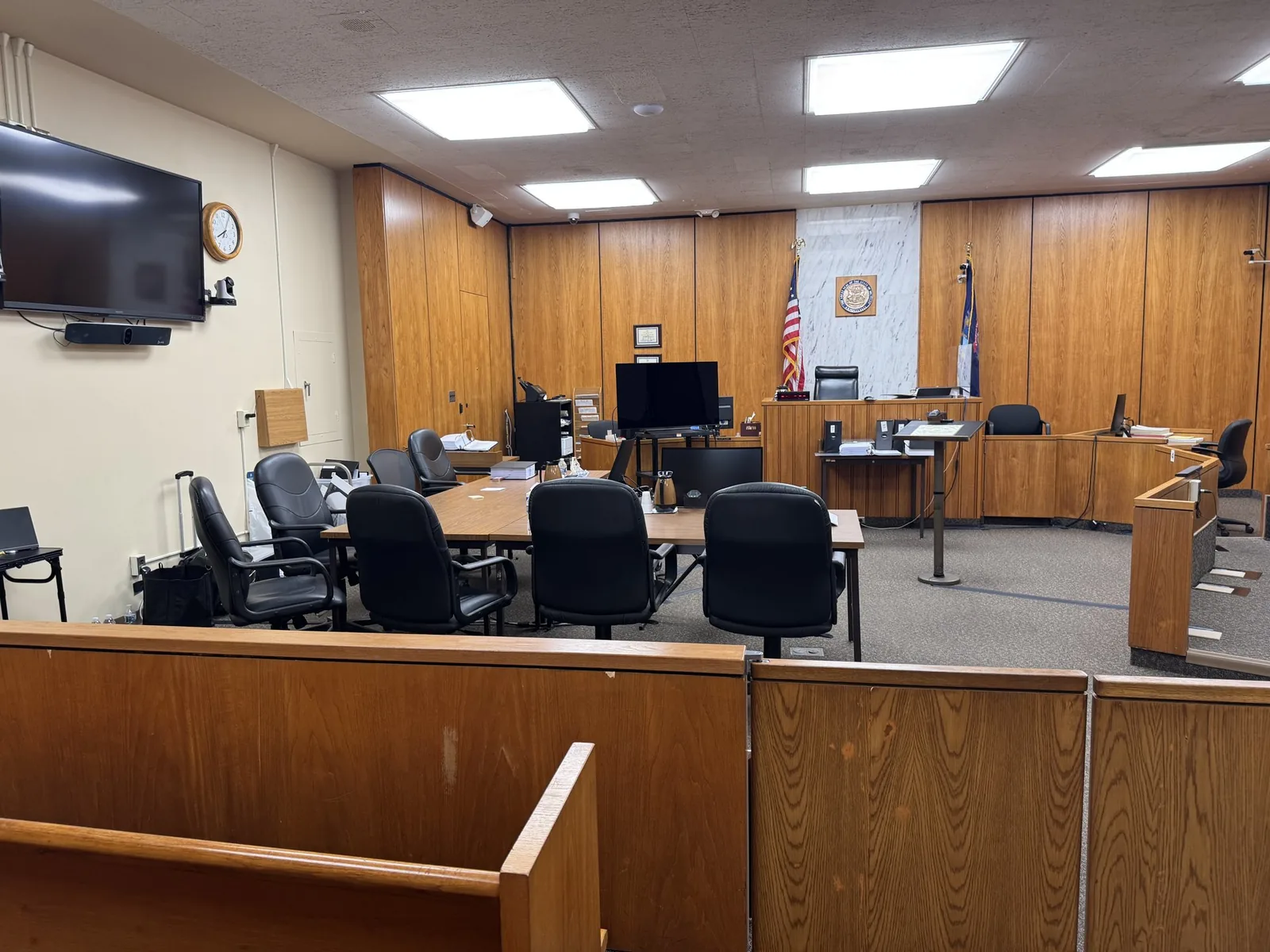
Every courtroom has its own combination of monitors, projectors, and connection types. Files and systems should be tested against that specific setup well before trial day. This single step prevents most last-minute technical failures.
Equipment fails. Connections drop. A prepared trial team plans for these possibilities instead of hoping they won't happen. Redundant systems, backup hardware, and a technician ready to adapt are what separate a smooth trial from a chaotic one.
Trial technology needs to function like a mobile office: fully self-contained, courtroom-ready, and prepared for anything. This isn't a marketing phrase. It's a working philosophy that shapes how equipment gets packed, tested, and deployed for every trial.
Backup equipment isn't about assuming failure. It's about removing failure as a possibility altogether. Redundant systems mean that if a projector connection drops or a laptop malfunctions, the presentation continues without the jury noticing a pause.
A properly redundant trial setup typically involves:
Remote and hybrid trials introduce their own layer of preparation. When an expert witness or out-of-state party testifies remotely, the technical requirements multiply. Connectivity, audio clarity, and screen-sharing all need to work in sync with the in-person courtroom setup.
A dropped connection during remote testimony can derail momentum just as quickly as a failed exhibit display. Testing the remote link ahead of time, confirming audio levels, and having a backup connection method in place all reduce that risk significantly.
Attorneys working with remote or hybrid witnesses should confirm:
For federal cases or multi-state litigation, this coordination becomes even more important. Witnesses and experts may be testifying from locations with limited technical support nearby, making advance testing essential.
Attorneys don't need to become technology experts, but having a clear checklist removes most of the guesswork. The following steps cover the areas most likely to cause problems if left unaddressed.
Before trial begins:
A trial technician's role goes well beyond recording video or setting up a projector. The position functions more like a courtroom logistics partner, someone who understands both the technical systems and the pace of litigation itself. That distinction matters when trials shift direction without warning.
Working with a trial technology specialist typically means having someone present through depositions, trial prep, and the trial itself. They handle file preparation, equipment testing, and real-time adjustments so the attorney can stay focused on the case. With more than 13 years of experience in legal videography and courtroom technology, Schmitzer Video & Trial Services approaches every trial with that same standard of preparation.
In practice, this kind of support includes:
Go back to that Monday morning scenario. The difference between scrambling through unformatted exhibits and walking into court fully prepared comes down to work done days or weeks earlier. Digital trial presentation isn't a separate task from trial strategy. It's the delivery system for that strategy.
Preparation matters. Presentation matters. And helping legal teams feel supported in high-stakes moments matters most of all. That philosophy shapes every trial Schmitzer Video & Trial Services supports, from the first deposition to the final closing argument.
Every trial deserves a presentation strategy as strong as the legal argument behind it. If you have an upcoming trial and want to talk through your technology and presentation needs, our team is ready to help you prepare. Reach out to discuss your case and find out how a fully redundant, courtroom-ready setup can support your next trial.
Key Takeaway
How to prepare exhibits, synced video, and courtroom technology for digital trial presentation, so the tech supports the argument instead of competing with it.
Planning a trial or deposition in Michigan? Let us make the technology the last thing you have to worry about.
Request a ConsultationHave a trial or deposition coming up? Tell us about your case and we will help you get courtroom ready.
Request a consultation →More than a decade of legal video, trial presentation, and courtroom technology experience across Michigan.
Meet John →Trial presentation, legal video depositions, courtroom technology, and remote testimony support.
View services →Trial presentation, legal video, courtroom technology, and remote testimony support for litigation teams across Michigan.
Home base in St. Clair Shores, with same-day reach across Southeast Michigan and travel statewide.
Tell us about your case. We'll bring the technology, the preparation, and the calm.