A cardiologist with thirty years of practice can still lose a jury in the first minute of a recording. The audio hums, a window behind her washes out her face, and the chart she keeps pointing to never appears on screen. Jurors do not see her résumé. They see a dim, distracting video and quietly decide how much to trust it.
Expert testimony is often the most expensive and most persuasive evidence in a case, yet it is frequently recorded like an afterthought. The gap between a credible expert and a forgettable one often comes down to lighting, sound, and preparation that nobody in the jury box will ever notice. That invisibility is exactly the point.
In This Article
- What Expert Witness Video Production Involves
- Preparing the Recording Before the Expert Sits Down
- What Happens While the Camera Is Rolling
- Recording Remote and Out-of-State Experts
- Turning Raw Footage Into Trial-Ready Testimony
- Presenting Expert Video in Southeast Michigan Courtrooms
- When the Expert Is Clear, the Case Gets Clearer
- Put Your Next Expert Recording in Steady Hands
What Expert Witness Video Production Involves
Legal video production for expert witness testimony is the planning, recording, and post-production of an expert's sworn testimony for use at trial. It combines deposition videography standards with the lighting, audio, and exhibit handling that technical testimony demands.
How Expert Recordings Differ From Routine Video Depositions
A routine deposition of a party or fact witness is often about locking in a story. Expert testimony is about teaching. The expert walks through imaging, calculations, standards of care, or accident reconstruction, and the jury needs to follow every step.
That shift changes what the videographer has to plan for:
- Exhibits, models, and scans that must be visible on the record
- Long answers that need steady framing and clean audio throughout
- Technical vocabulary that has to transcribe and sync accurately
- A witness who may be available only once before trial
Discovery Depositions vs. Trial Preservation Recordings
Many attorneys depose an opposing expert for discovery, then record their own expert separately for trial. That second session is often called a de bene esse or trial preservation deposition. It is the one jurors may actually watch, so it deserves far more production planning.
In Michigan state courts, MCR 2.315 sets out procedures for video depositions. In federal court, FRCP 30(b)(3) requires the notice to state the recording method, and FRCP 32(a)(4) governs using an unavailable witness's deposition at trial.
Who Needs to Be in the Room
An expert session usually involves more people than a standard deposition. Each one needs something specific from the setup.
- The expert: a comfortable seat, room for exhibits, and a clear sightline to counsel
- Examining counsel: a way to display exhibits without breaking the record
- Opposing counsel: equal access to everything that appears on screen
- The court reporter: clean audio and a position to hear every word
- The videographer: control of the record, backup systems, and a clear view of the room
Preparing the Recording Before the Expert Sits Down
Picking the Right Location
Experts often prefer to record where they work. That convenience matters, but every location carries tradeoffs.
- Medical offices and hospitals: paging systems, HVAC noise, and limited space
- Law firm conference rooms: controlled settings, but glass walls and glare
- Home offices: comfortable for the expert, yet often poorly lit and noisy
- Dedicated recording spaces: the most control, with more travel for the expert
Lighting, Background, and Audio That Hold Up in Court
Courts expect footage that neither flatters nor distorts the witness. Soft, even light and a plain background keep attention on the testimony itself.
Audio deserves even more care than video. Lavalier microphones on the expert and each attorney, plus a room backup, give the reporter and the jury clean sound. Jurors forgive a slightly soft image far more readily than muddy audio.
Coordinating the Exhibits the Expert Will Reference
Exhibits should be settled before recording day whenever possible. That includes numbering, file formats, and whether each item appears as a board, a digital file, or a physical model. Surprises here create pauses, extra off-record time, and messy clips later.
Pre-Recording Checklist for Attorneys
- Confirm the recording method appears in the deposition notice
- Send the exhibit list and digital files to the videographer ahead of time
- Confirm the location, room size, and available power
- Identify any medical imaging or specialty file formats
- Flag remote participants and share their connection details
- Build in time for a brief audio and framing check with the expert
- Decide whether picture-in-picture capture is needed
What Happens While the Camera Is Rolling
Neutral Framing Standards and Why Courts Care About Them
Standard practice is a steady medium shot of the witness at eye level. Zooms, dramatic angles, and cutaways can invite objections that the footage misrepresents testimony. Consistency protects the record and keeps the focus on substance.
Picture-in-Picture Capture for Scans, Charts, and Demonstratives
Picture-in-picture recording places the exhibit and the expert on screen together. The jury watches a radiologist point to an MRI while seeing the image itself. That pairing can be the difference between real understanding and polite confusion.
It works especially well for:
- MRI, CT, and X-ray imaging
- Engineering drawings and reconstruction models
- Financial charts and damages calculations
Redundant Recording and the Mobile Office Mindset
Schmitzer Video & Trial Services operates like a mobile office. Every session travels with backup equipment, because experts do not wait for troubleshooting. Redundancy is the baseline, not an add-on.
Typical redundancy on an expert session includes:
- A secondary recording running alongside the primary camera
- Dual audio paths with a separate backup recorder
- Spare batteries, cables, and power supplies
- On-site file duplication before anyone leaves the room
Handling Objections, Breaks, and Off-the-Record Moments Cleanly
Every expert session has objections, breaks, and off-record discussions. The videographer announces each move on and off the record with the time, so video and transcript stay aligned. Clean transitions make later editing faster and far less contentious.
Recording Remote and Out-of-State Experts
Fully Remote Expert Depositions: Where Quality Usually Slips
Remote depositions are convenient. The quality problem usually sits on the expert's end: a laptop camera, weak Wi-Fi, and a bright window. Those flaws are tolerable in discovery but painful in front of a jury.
Hybrid Setups With a Videographer Beside the Expert
A hybrid approach puts a videographer in the room with the expert while counsel joins remotely. The trial footage comes from professional equipment rather than a webcam. Attorneys still save the travel time and cost.
Building a Backup Plan for Connection Failures
Every remote session needs a plan for dropped connections. That plan should be agreed on before recording starts, not improvised mid-answer.
- A backup dial-in or secondary platform
- A local recording that continues even if the stream fails
- An agreed protocol for going off the record during outages
- A direct phone number for every participant
Turning Raw Footage Into Trial-Ready Testimony
Certified Transcript Synchronization
Synchronization links each line of the certified transcript to the matching moment in the video. Attorneys can then search testimony by keyword and pull exact clips in seconds. With experts, accurate sync matters because technical terms and figures leave no room for guesswork.
Editing for Designations, Counter-Designations, and Court Rulings
Before trial, both sides designate the portions of expert testimony they want played. The court rules on objections, and some passages come out. Editing has to follow those rulings exactly, with clean cuts that never distort meaning.
Preparing Clips for Impeachment During Cross-Examination
Deposition testimony often resurfaces during cross-examination at trial. When an opposing expert shifts position, a synced clip of the earlier answer is powerful. Having those clips indexed and ready lets counsel use them the moment they matter.
Presenting Expert Video in Southeast Michigan Courtrooms
Playback Considerations in Wayne, Oakland, Macomb, and the Eastern District
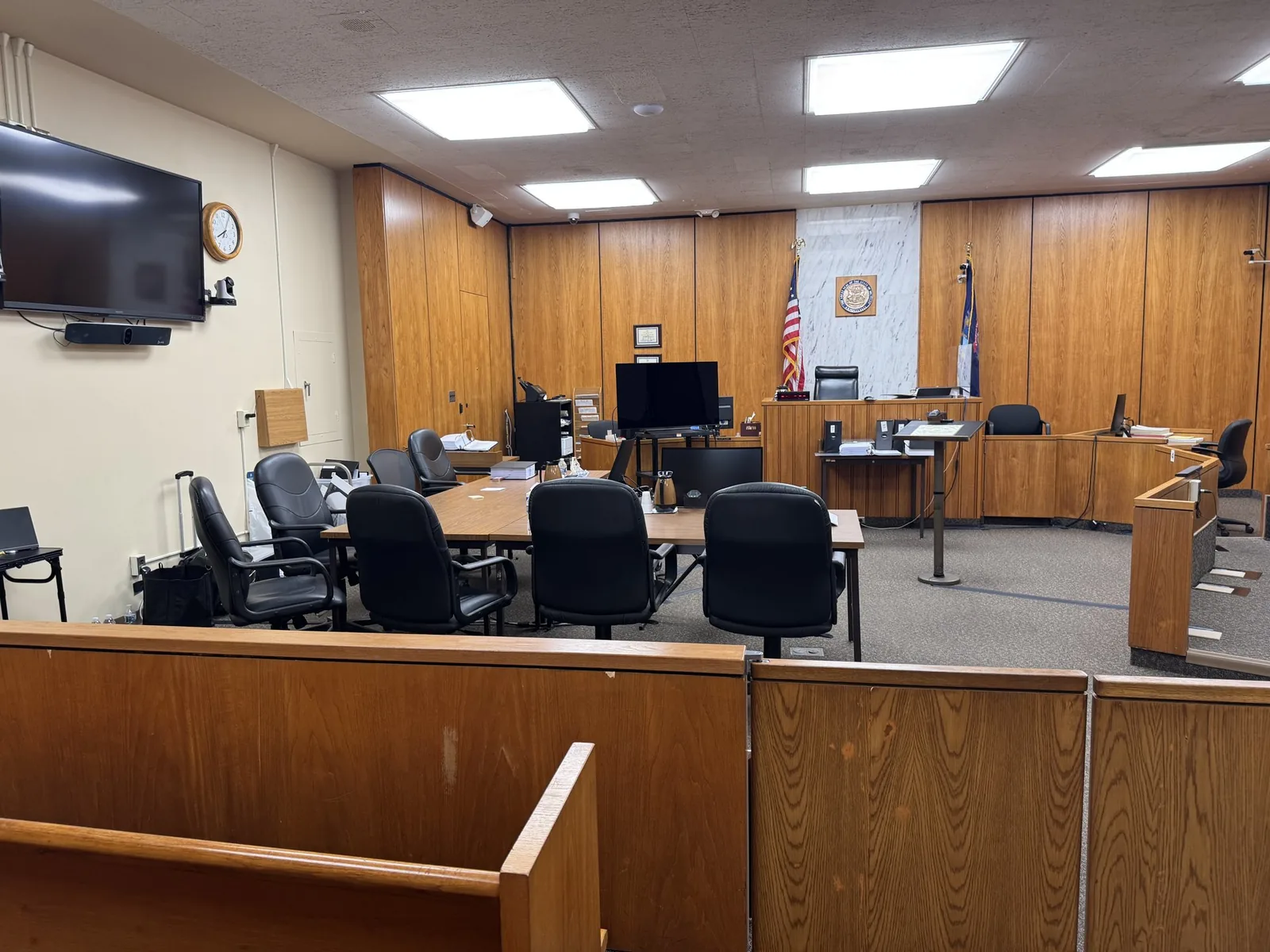
Courtroom technology varies widely across Wayne, Oakland, and Macomb County courts. The federal courthouse for the Eastern District of Michigan in Detroit has its own systems and procedures. Some rooms offer integrated displays, while others still need portable screens and speakers.
Before trial, it helps to confirm:
- What display and audio systems the courtroom provides
- Whether outside equipment is allowed and where it connects
- The judge's preferences for playback during testimony
- When a test run can happen before jurors arrive
Supporting Live Experts With Synced Video and Demonstratives
Not every expert appears only on video. Many testify live while synced deposition clips and demonstratives support their explanations. A trial technician manages those visuals so counsel can stay focused on the witness.
Adjusting Clips on the Fly After a Mid-Trial Ruling
Judges sometimes revisit rulings once trial is underway. A passage cleared on Monday may be excluded by Wednesday. With an editing workstation and synced files on hand, those changes can happen overnight or even during a recess.
When the Expert Is Clear, the Case Gets Clearer
Expert testimony travels a long road before a jury ever sees it. It moves from a conference room or clinic through transcripts, designations, and rulings before reaching a courtroom screen. Every handoff along the way is a chance for quality to slip or time to run short.
Working with one partner from recording through playback closes many of those gaps. The person who set the lights and placed the microphones already knows where every clip lives. When a judge changes a ruling or opposing counsel shifts strategy, that continuity keeps your expert's voice intact.
Put Your Next Expert Recording in Steady Hands
Whether your expert is across town or across the country, John Schmitzer is glad to talk through the logistics with you. A short call is often enough to spot location issues, exhibit needs, and scheduling risks before they become problems.
- Email: jpschmitzer@gmail.com
- Phone: (248) 804-7488
- Address: P.O. Box 805983, Saint Clair Shores, MI 48080
Key Takeaway
Legal video production for expert witness testimony ensures that technical, high-stakes testimony is recorded with the audio, lighting, and exhibit visibility necessary to educate and persuade a future jury rather than merely preserve the record. By utilizing neutral eye-level framing, picture-in-picture displays for demonstratives and scans, synchronized transcript editing, and strict equipment redundancy, professional legal videography prevents poor production quality from compromising an expert's authority and credibility in the courtroom.
Planning a trial or deposition in Michigan? Let us make the technology the last thing you have to worry about.
Request a Consultation