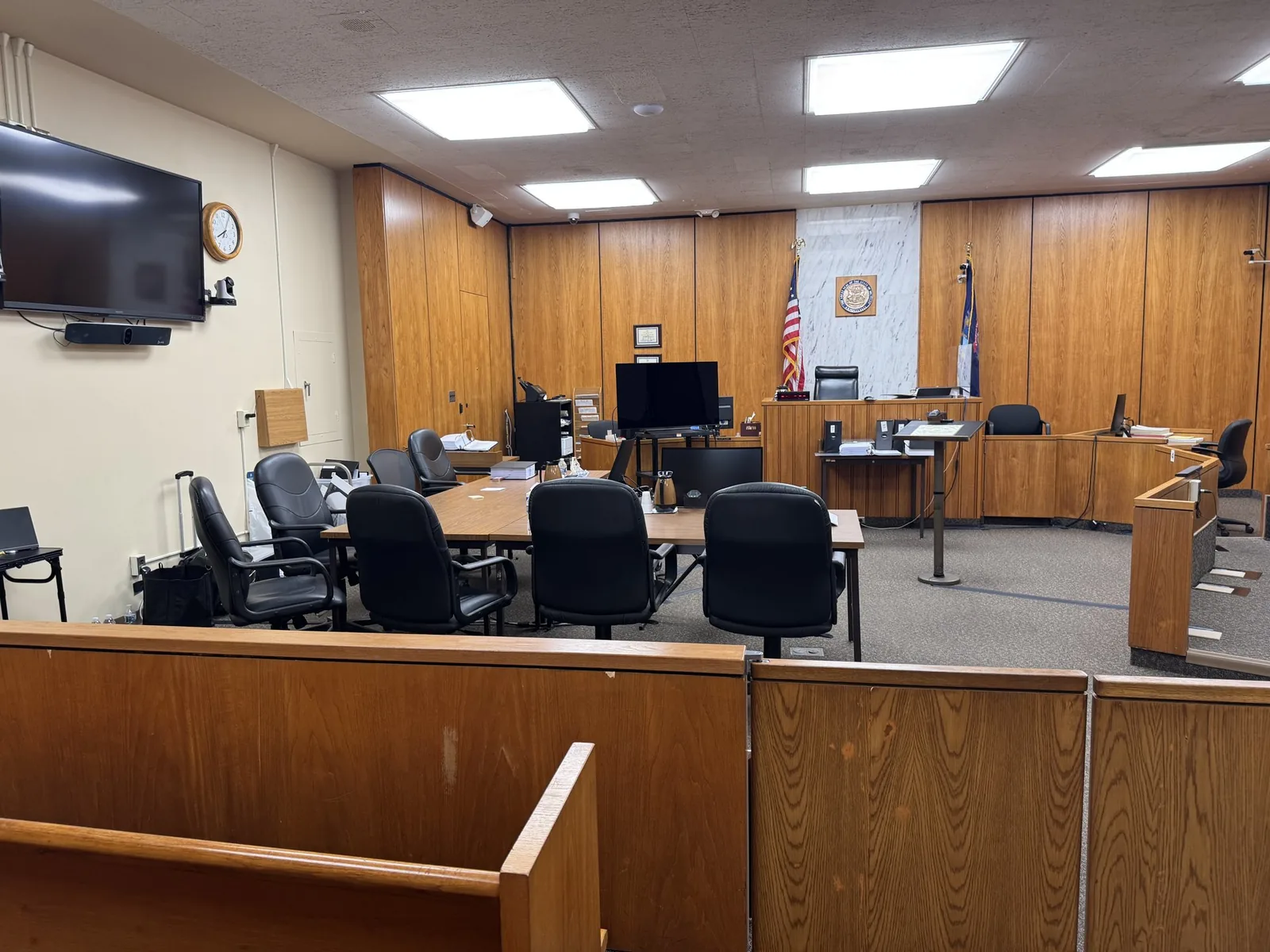

Building a Trial Presentation Timeline From Deposition to Verdict
Trial is eight weeks out, and the attorney has strong depositions, solid exhibits, and a clear case theory. What's missing is a plan for how it...
Trial is eight weeks out, and the attorney has strong depositions, solid exhibits, and a clear case theory. What's missing is a plan for how it...
Trial is eight weeks out, and the attorney has strong depositions, solid exhibits, and a clear case theory. What's missing is a plan for how it all comes together in front of a jury. This gap shows up more often than most people expect, and it rarely gets noticed until deadlines start closing in.
Building a case is not the same as presenting one. Depositions need to be synced, exhibits need to be organized for courtroom use, and technology needs to be tested well before opening statements. The difference between a smooth trial and a stressful one often comes down to whether these pieces were planned as a timeline, not handled as separate tasks.
In This Article
Many attorneys treat depositions as a standalone event. The video gets recorded, the transcript gets filed, and both sit until trial prep begins. But decisions made during the deposition itself often determine how much flexibility exists later.
Camera framing, exhibit marking, and how a witness is positioned all affect what can be done with that footage months down the road. A deposition planned with trial in mind captures more usable angles and cleaner exhibit references. One planned purely for discovery purposes may not.
Key decision points at this stage include:
A common oversight is assuming any deposition video will work fine at trial. In practice, video captured without trial use in mind often requires more editing time, more manual syncing, and more risk of gaps between transcript and footage. Planning ahead at this stage saves significant time later.
Once a deposition is complete, the video and written transcript need to be aligned. This process, known as synchronization, allows a specific line of testimony to be pulled up instantly during trial rather than searched for manually.
Synchronization matters most when impeachment is a possibility. If a witness changes their story on the stand, an attorney needs to locate and play the contradicting deposition testimony within seconds. A delay of even thirty seconds can break the momentum of cross-examination.
Not every minute of testimony needs the same level of sync priority. Attorneys and their trial support team typically identify:
This is where early collaboration pays off. A trial technician who understands the case narrative can flag which sections deserve tighter synchronization, rather than treating every deposition equally. That kind of prioritization is difficult to do well under time pressure right before trial.
Exhibits accumulate throughout a case. Medical records, photographs, contracts, expert reports, and demonstratives can number in the hundreds by the time trial begins. Without organization, finding the right exhibit at the right moment becomes a scramble.
The goal at this stage is to sort exhibits by relevance, sequence, and how they'll actually be used in front of a jury. This is different from how exhibits are typically organized during discovery, where the priority is completeness rather than presentation flow.
Effective exhibit organization usually accounts for:
A frequent mistake is finalizing exhibits without testing how they'll actually appear in the courtroom. A chart that looks clear on a laptop screen may be unreadable on a courtroom monitor from the jury box. Testing display formatting before trial prevents this kind of last-minute discovery.
Courtroom technology needs to be tested well before the first day of trial, not the morning of. This includes monitors, playback systems, microphones, and any remote testimony connections. Equipment that works perfectly in an office can behave differently in an unfamiliar courtroom.
Backup equipment is not optional at this stage. Redundant systems for playback, audio, and connectivity protect against the kind of technical failure that can disrupt a trial in front of a jury. Attorneys and trial teams that build in this redundancy rarely think about it again once trial starts.
A thorough pre-trial technology check typically includes:
Rehearsal matters just as much as setup. Walking through the planned sequence of exhibits, video clips, and demonstratives in advance surfaces problems while there's still time to fix them. Discovering an issue mid-trial is a far more difficult position to recover from.
Once trial begins, the timeline shifts from planning to real-time coordination. A trial technician's role during this stage is less about preparation and more about adaptability. Witness order changes, judges rule on exhibits differently than expected, and last-minute requests are common.
Typical adjustments during trial week include:
This is where earlier preparation pays off most directly. A trial support professional who understands the case narrative, not just the technology, can respond to these shifts without slowing down the proceedings. Calm, steady coordination under pressure is often what separates a smooth trial day from a chaotic one.
Not every witness testifies in person. Expert witnesses, out-of-state parties, and medical providers increasingly appear remotely, which adds another layer to the timeline. Remote testimony needs to be planned and tested well before the witness is actually called.
Hybrid trial logistics typically require:
The goal is for remote testimony to feel seamless to the jury, not like a technical afterthought. This requires the same level of planning as in-person testimony, plus additional testing for the connection itself. Attorneys who build this into the timeline early avoid scrambling to troubleshoot connectivity issues while a witness waits.
Much of what makes a trial presentation timeline work well depends on communication between the attorney and the trial support team. The earlier this collaboration starts, the fewer surprises come up during trial week itself.
Attorneys can help the process by preparing the following ahead of time:
This preparation does not need to be perfect months in advance. It does need to start early enough that the trial support team has time to organize, test, and rehearse rather than assemble everything in the final days. Timeline planning is ultimately a form of risk management, not just logistics.
A trial presentation timeline is not a single task completed the week before trial. It is a series of connected decisions that start at the deposition stage and carry through to the final day in court. Each stage, from synchronization to exhibit organization to courtroom rehearsal, builds on the one before it.
Attorneys who plan this timeline early give their case the best chance of being presented clearly and confidently. Preparation does not guarantee a specific outcome, but it does mean the courtroom presentation reflects the strength of the case itself. Presentation matters just as much as the facts behind it, and a solid timeline is what connects the two.
If trial is on the calendar, the presentation timeline should already be taking shape. Schmitzer Video & Trial Services works with attorneys throughout Michigan and beyond to coordinate depositions, synchronization, exhibits, and courtroom technology from start to finish. Reach out to talk through your upcoming trial and build a plan suited to your case.
Key Takeaway
A trial presentation timeline connects deposition capture, synchronization, exhibit organization, courtroom setup, and rehearsal into one plan, so a strong case is presented clearly.
Planning a trial or deposition in Michigan? Let us make the technology the last thing you have to worry about.
Request a ConsultationHave a trial or deposition coming up? Tell us about your case and we will help you get courtroom ready.
Request a consultation →More than a decade of legal video, trial presentation, and courtroom technology experience across Michigan.
Meet John →Trial presentation, legal video depositions, courtroom technology, and remote testimony support.
View services →Trial presentation, legal video, courtroom technology, and remote testimony support for litigation teams across Michigan.
Home base in St. Clair Shores, with same-day reach across Southeast Michigan and travel statewide.
Tell us about your case. We'll bring the technology, the preparation, and the calm.