The trial date finally lands on the calendar, and something shifts in the office. A case that lived for two years in depositions, discovery folders, and expert reports now has to become a story a jury can follow. Every clip, exhibit, and witness appearance suddenly has a deadline attached to it.
John Schmitzer II has spent more than 13 years standing beside attorneys during that exact stretch. Schmitzer Video & Trial Services works with litigation teams across Southeast Michigan to turn trial pressure into an organized, steady plan. The goal is simple: when the jury walks in, your team should already feel ready.
In This Article
- What Trial Preparation Support Means for a Litigation Team
- 90 Days Out: Building the Evidence Foundation
- 60 Days Out: Shaping How the Jury Will See the Case
- 30 Days Out: Learning the Courtroom Before You Walk Into It
- The Final Week: Rehearsal, Redundancy, and the Clip Library
- The Morning of Trial: What Happens Before the Jury Enters
- Preparation Gaps Schmitzer Sees Again and Again
- Walking Into Court With Nothing Left to Chance
- Let's Map Out Your Trial Timeline Together
What Trial Preparation Support Means for a Litigation Team
Trial preparation support is hands-on help getting evidence, technology, and presentation materials ready before trial begins. It covers deposition video, transcript syncing, exhibits, demonstratives, courtroom equipment, and remote witness logistics. The work happens in the weeks leading up to trial, not just on the first morning.
How Preparation Support Differs From Trial Consulting and Day-of Tech Work
Trial consultants often focus on strategy, jury research, and case themes. A day-of technician typically arrives, connects equipment, and runs playback. Preparation support fills the space between those two roles.
Schmitzer's involvement usually includes:
- Reviewing existing video and exhibits for technical problems
- Coordinating with paralegals on designation lists and exhibit numbering
- Confirming file formats work with the courtroom's systems
- Carrying that same knowledge into the courtroom once trial starts
Which Teams Benefit Most
Almost any trial team gains something from structured preparation. Some situations make it especially valuable, though.
- Solo practitioners juggling trial prep alongside a full caseload
- Mid-size firms without dedicated in-house trial technology staff
- Co-counsel teams working from different offices or cities
- Firms facing multi-week trials with hundreds of exhibits
- Cases that rely heavily on expert or medical testimony
90 Days Out: Building the Evidence Foundation
Taking Inventory of Deposition Video
The first step is knowing exactly what you have. Deposition video often comes from different vendors, formats, and recording setups over a long discovery period. Some files arrive with problems nobody noticed at the time.
A careful inventory looks at:
- Which depositions were video recorded and which were stenographic only
- File formats, frame rates, and codec compatibility
- Audio clarity, especially crosstalk and soft-spoken witnesses
- Missing segments, breaks, or recording interruptions
Transcript Syncing and Designation Planning
Synced deposition video pairs each spoken word with the certified transcript. Once that link exists, any clip can be pulled by page and line in seconds. Syncing early also makes designations and counter-designations far easier to build, edit, and exchange with opposing counsel.
Teams that wait until designations are final often end up syncing under pressure. Starting early lets clips evolve naturally as case strategy sharpens.
Deciding Whether a Day-in-the-Life Video Belongs in the Case
A day-in-the-life video shows a jury how an injury affects ordinary routines. Filming requires scheduling with the plaintiff, family members, and sometimes caregivers. Editing, review, and disclosure all take time too.
Ninety days out is a practical point to make that call. It leaves space to film thoughtfully instead of rushing a sensitive production.
60 Days Out: Shaping How the Jury Will See the Case
Turning Documents Into Demonstratives
Jurors rarely remember a paragraph from a contract or a chart note. They remember what they see clearly. Demonstratives translate dense records into visuals that support testimony without overwhelming it.
Common demonstratives include:
- Event timelines built from records and testimony
- Annotated medical images and anatomical illustrations
- Callouts that enlarge a key sentence from a document
- Side-by-side comparisons of conflicting statements
- Maps and scene diagrams
Digital Presentation vs. Physical Trial Boards
Both formats still have a place in Michigan courtrooms. The right choice depends on the courtroom, the judge, and the moment.
- Digital presentation works well for large exhibit volumes, video clips, and live callouts during testimony.
- Physical boards stay visible during long arguments and don't depend on power or screens.
- A blended approach keeps a key timeline on an easel while supporting documents appear on monitors.
Keeping Visuals Consistent Across Witnesses
Here is something few teams think about until it's too late. Jurors notice when exhibits look different from one witness to the next. Mismatched fonts, colors, and callout styles can quietly make a case feel disorganized.
Consistent visual standards make every witness feel like part of one clear story. Schmitzer helps set those standards early, so exhibits built by different team members still look unified.
30 Days Out: Learning the Courtroom Before You Walk Into It
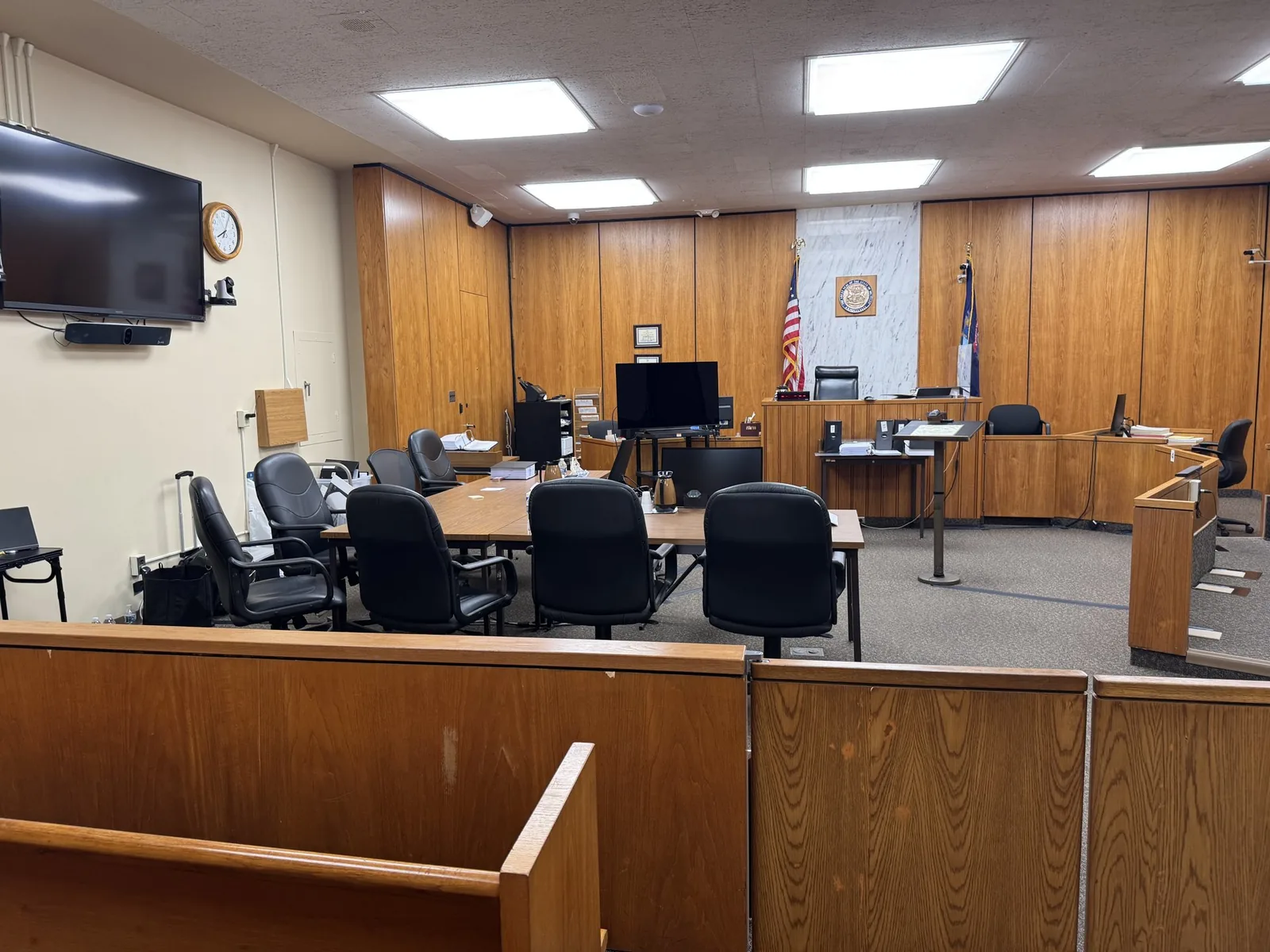
Courthouse AV Differences Across Southeast Michigan
No two courtrooms are wired the same way. Even rooms in the same building can differ. Confirming the courtroom setup a month out prevents unpleasant surprises.
Details that commonly vary include:
- Monitor placement for the jury, judge, and witness stand
- Available inputs such as HDMI, VGA, or wireless presentation
- Evidence cameras and whether they are built in or brought in
- Audio routing and speaker quality for video playback
- Outlet locations and table space for counsel
Judge Preferences and Courtroom Staff Coordination
Some judges want exhibits pre-marked electronically. Others want a copy of every clip in advance. Some limit what can sit on counsel tables.
A friendly call to the clerk or courtroom staff answers most of these questions. It also builds goodwill with the people who will help keep trial moving.
Planning Remote and Hybrid Testimony
Expert witnesses often testify remotely because of travel, cost, or scheduling conflicts. Remote testimony only feels smooth when it's planned well ahead.
Preparation includes:
- Confirming which platform the court allows
- Testing the witness's camera, microphone, and internet connection
- Coordinating time zones and backup testimony windows
- Sending exhibits to the witness in a secure, organized format
- Arranging a phone backup in case video drops
The Final Week: Rehearsal, Redundancy, and the Clip Library
Mock Trial and Mock Deposition Run-Throughs
Rehearsal with live technology reveals problems that paper outlines hide. A clip might run longer than expected. A demonstrative might be hard to read from the jury box.
Mock trial and mock deposition run-throughs let attorneys practice timing, transitions, and witness handoffs. They also give the trial tech a feel for the attorney's rhythm. That shared rhythm makes live trial feel far more natural.
Building an Impeachment-Ready Clip Library
Impeachment moments rarely wait for anyone. When a witness contradicts prior testimony, the clip needs to appear within seconds.
A strong clip library usually has:
- Clips labeled by witness, topic, and page and line
- Pre-built impeachment clips for likely contradictions
- Quick-search access during live testimony
- Designation and counter-designation versions stored separately
Backup Equipment and the Mobile Office Mindset
Schmitzer approaches every trial like a mobile office. Everything needed to keep presenting travels with the team, along with a backup for most of it.
Typical redundancy includes:
- A second laptop loaded with the full case presentation
- Duplicate cables, adapters, and power strips
- Portable speakers and a spare display
- Case files stored on multiple drives
The Morning of Trial: What Happens Before the Jury Enters
The Setup Window Most Attorneys Never See
Most attorneys arrive to find everything already running. Behind that calm is a focused setup window, often starting well before court opens.
That window usually covers:
- Connecting to courtroom displays and testing every screen
- Checking audio levels from the jury box
- Loading the day's clips and exhibits in order
- Confirming remote witness connections, if any
Why a Calm Tech Table Changes the Whole Room
Juries pick up on tension. So do judges. When the tech table is calm, the attorney can focus on witnesses instead of cables.
That steadiness is part of the service. It's hard to put on an invoice, but attorneys feel it immediately.
Preparation Gaps Schmitzer Sees Again and Again
Most trial technology problems don't come from bad equipment. They come from small gaps that were easy to miss during a busy pretrial period. Recognizing them early is half the solution.
Common gaps include:
- Poor deposition audio discovered only when clips are played aloud
- Transcripts that were never synced to video
- Exhibits saved in formats the courtroom system won't open
- No tested backup plan for a remote witness
- Clip lists that don't match the final designations
- Attorneys meeting the trial tech for the first time on day one
Walking Into Court With Nothing Left to Chance
Strong trial presentation rarely comes from a single brilliant moment. It comes from dozens of small decisions made weeks earlier, from a synced clip cued to the right line to a spare cable already in the bag. Those decisions free attorneys to do what they do best, which is advocating for their clients.
Working with a partner who knows a wide range of courtrooms means fewer unknowns and more confidence at counsel table. From the first deposition inventory to the final closing exhibit, Schmitzer stays with your team through every step. That continuity turns a stressful countdown into a steady, shared plan.
Let's Map Out Your Trial Timeline Together
Wherever your case sits on the calendar, a conversation with John can help clarify what needs attention first. Reach out to talk through your trial date, your evidence, and how Schmitzer Video & Trial Services can support your team.
- Email: jpschmitzer@gmail.com
- Phone: (248) 804-7488
- Mailing Address: P.O. Box 805983, Saint Clair Shores, MI 48080
Key Takeaway
Structured trial preparation support bridges the gap between high-level trial consulting and day-of AV technicians by methodically organizing evidence, synchronizing video depositions, crafting clear demonstratives, and testing courtroom technology weeks in advance. By establishing rigorous equipment redundancy and learning specific courthouse logistics early, this proactive approach eliminates technical errors, preserves attorney focus during trial, and ensures evidence is presented clearly and effortlessly to the jury.
Planning a trial or deposition in Michigan? Let us make the technology the last thing you have to worry about.
Request a Consultation