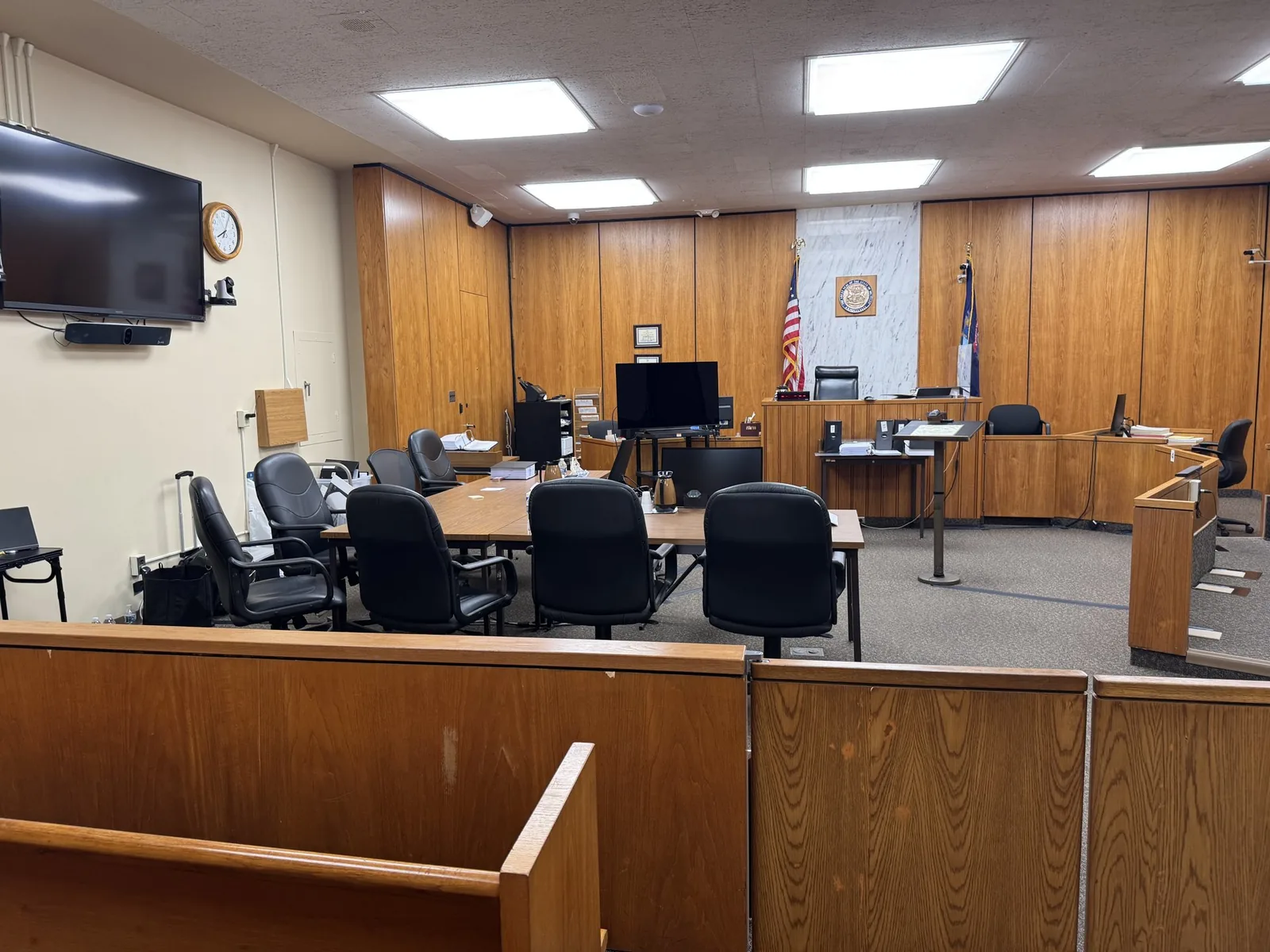

Courtroom Technology Checklist for Michigan Attorneys
Most attorneys walk into trial assuming the courtroom's technology will simply work. The projector will turn on. The audio will carry. The screens...
Most attorneys walk into trial assuming the courtroom's technology will simply work. The projector will turn on. The audio will carry. The screens...
Most attorneys walk into trial assuming the courtroom's technology will simply work. The projector will turn on. The audio will carry. The screens will be visible from every seat in the jury box. Then trial morning arrives, and the projector bulb is dead, the courtroom Wi-Fi drops every few minutes, or the monitor cable doesn't match any adapter in the room.
None of these problems are rare. They are common enough that experienced trial teams stop assuming and start verifying. This checklist reflects what actually happens inside Michigan courtrooms, built from real trial support experience rather than a generic IT list pulled from outside the legal world.
Use it before your next trial date, deposition, or hybrid hearing. A little preparation now prevents a lot of scrambling later.
In This Article
Every Michigan courthouse has its own equipment, its own quirks, and its own limitations. Some courtrooms have modern dual monitors for the jury. Others still rely on a single pull-down screen and an aging projector. Call the clerk's office or court administrator ahead of trial to confirm exactly what's available in your assigned courtroom.
Ask specific questions rather than general ones:
Jury visibility matters as much as judge visibility. Some older Michigan courtrooms only have one shared screen, which means exhibit placement and screen angle affect what jurors can actually see. Confirm whether each juror has a clear line of sight or whether you'll need to adjust your presentation approach for a single shared display.
Courthouse Wi-Fi is often unreliable, especially in older buildings or rural counties. If your presentation depends on cloud-based files or a live connection, that dependency becomes a risk the moment the network drops. Confirm outlet locations too, since running cables across a courtroom floor creates both a tripping hazard and a distraction.
Experienced trial technicians don't rely on courthouse equipment alone. They build a self-contained, portable setup that functions independently if the courtroom's own systems fail. This redundancy isn't excessive caution. It's the standard among professionals who have already watched equipment fail mid-trial.
A properly prepared trial setup typically includes:
Cloud storage is convenient, but it depends entirely on a stable internet connection you may not have inside the courtroom. Save every exhibit, video clip, and presentation file locally on multiple devices. If the Wi-Fi drops during testimony, your case shouldn't drop with it.
Not every courtroom system supports every video format. A file that plays perfectly on your laptop might not display correctly through an older courtroom projector or unfamiliar software. Confirm playback compatibility during pre-trial preparation, not five minutes before the jury walks in.
Synchronized deposition video, where the transcript scrolls alongside the witness's recorded testimony, requires careful setup and testing. A misaligned sync can distract jurors or, worse, misrepresent the testimony's timing. Run a full playback test in advance, checking both video quality and transcript alignment.
Nothing undermines a cross-examination moment faster than fumbling through files to find the right video clip. Organize exhibits and video segments in a clearly labeled, easy-to-navigate system before trial starts. Every second spent searching is a second the jury spends losing focus.
Before testimony begins, confirm:
Not every judge handles remote or hybrid testimony the same way. Some Michigan courts have established clear technical protocols for Zoom testimony. Others handle it case by case. Confirm the judge's specific expectations and any local court rules before assuming your usual remote setup will work as-is.
Testing a remote witness connection the morning of trial is too late to fix a problem. Run a full test call with the remote witness days beforehand, checking audio clarity, video stability, and their own internet reliability. This also gives the witness a chance to feel comfortable with the format before the pressure of live testimony.
Remote testimony introduces variables outside your control, including the witness's own internet connection. Have a backup contact method ready, such as a phone number, in case video drops mid-testimony. Coordinate with opposing counsel ahead of time on how connection issues will be handled if they arise.
Testing equipment at home tells you very little about how it will perform in the actual courtroom. Arrive early enough to fully set up, test displays, confirm audio levels, and walk through your presentation flow inside the real space. Courtroom acoustics and lighting often behave differently than expected.
If courtroom staff allow it, walk through your presentation sequence before the jury arrives. This catches issues like screen glare, awkward cable placement, or audio that's too quiet for the back row. A short walkthrough can prevent a much longer disruption later.
Check screen visibility from the judge's bench, the jury box, the witness stand, and opposing counsel's table. A screen that looks perfectly clear from where you're standing may be washed out by courtroom lighting from another angle. This is one of the most commonly overlooked details.
If something goes wrong mid-trial, someone needs to handle it without disrupting the attorney's focus on the jury. Whether that's a trial technician or a prepared member of your team, designate this role clearly before trial begins.
Some trials are straightforward enough to manage internally. Others involve multiple exhibits, synced video depositions, remote witnesses, and multi-day proceedings where the margin for error shrinks considerably. As complexity increases, so does the value of bringing in someone whose sole focus is trial technology.
A trial technician manages far more than most legal teams anticipate:
This isn't about attorneys lacking capability. It's about focus. An attorney's attention belongs on the jury, the witness, and the case strategy, not on whether a cable is loose behind the podium.
Courtroom technology will never be the most important part of a case, but it can absolutely undermine one if it fails at the wrong moment. The attorneys who avoid that risk are the ones who treat technology planning as seriously as legal strategy itself.
This checklist reflects a simple philosophy: preparation matters, presentation matters, and feeling supported in high-stakes moments matters most. Trial presentation isn't just about having the right equipment. It's about having a redundant, tested, courtroom-ready system that holds up when everything is on the line.
Every trial deserves a technology setup that holds up under pressure, not one that's hoped for and never tested. Schmitzer Video & Trial Services works alongside Michigan attorneys to make sure courtroom technology, video depositions, and remote testimony run smoothly from start to finish.
Whether you're preparing for a single-day hearing or a multi-week trial with multiple exhibits and remote witnesses, having a dedicated trial technology partner means one less variable to worry about. Reach out to discuss your upcoming trial dates and build a setup that's genuinely courtroom ready.
Key Takeaway
A practical courtroom technology checklist for Michigan attorneys: what to confirm, test, and pack before trial, built from real courtroom experience.
Planning a trial or deposition in Michigan? Let us make the technology the last thing you have to worry about.
Request a ConsultationHave a trial or deposition coming up? Tell us about your case and we will help you get courtroom ready.
Request a consultation →More than a decade of legal video, trial presentation, and courtroom technology experience across Michigan.
Meet John →Trial presentation, legal video depositions, courtroom technology, and remote testimony support.
View services →Trial presentation, legal video, courtroom technology, and remote testimony support for litigation teams across Michigan.
Home base in St. Clair Shores, with same-day reach across Southeast Michigan and travel statewide.
Tell us about your case. We'll bring the technology, the preparation, and the calm.